How to Hard Reset Any Whirlpool Washer: 5 Easy Steps
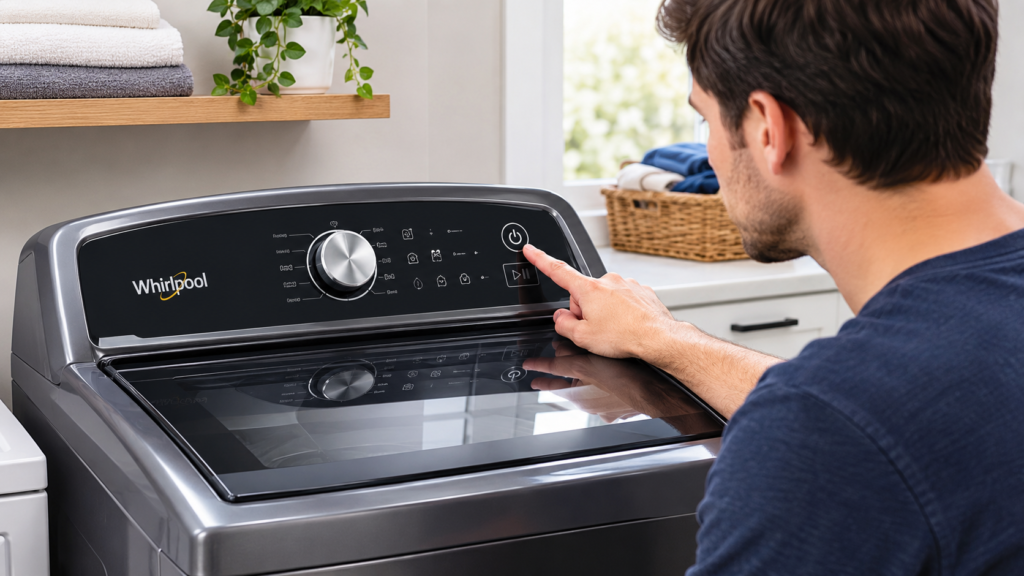
To hard reset a Whirlpool washer, unplug it or switch off its circuit breaker for about 5 minutes. Then restore power and run a short test cycle. This clears most temporary control board glitches, and a few models also have their own extra reset methods, covered below.
Knowing how to hard reset any Whirlpool washer starts with one universal method. After that, you can move on to the options for top-load, front-load, dial, and touchscreen models.
Quick Key Takeaways
- Unplug the Whirlpool washer or switch off its breaker for about 5 minutes.
- Restore power and run a short empty cycle to check whether the problem is gone.
- Check Control Lock first if the buttons do not respond.
- Top-load models may have additional lid-reset or recalibration procedures.
- A hard reset can clear temporary electronic glitches, but it cannot repair a failed part or physical blockage.
What Does How to Hard Reset Any Whirlpool Washer Actually Do?
If you’re learning how to hard reset any Whirlpool washer, it helps to understand what the reset actually does. A hard reset temporarily removes power from the electronic controls so the washer can restart and clear certain temporary glitches.
A hard reset cuts power to the washer’s electronic control board so it can restart, much like rebooting a frozen phone or computer. Pressing the Power button alone often isn’t enough, because it may only put the machine in standby.
When power is fully removed, the control board can discharge and clear temporary errors. That makes it a sensible first step to hard reset a Whirlpool washer when it:
- Won’t start or doesn’t respond to buttons
- Is stuck in a cycle
- Shows an error code that stays on the display
- Stays locked after a power outage or surge
- Acts strangely after a new part was installed
A reset can restart the electronics, but it can’t repair a broken part. A clogged drain, failed motor, or faulty door lock will still be there afterward.
You May Also Like
If you’re troubleshooting a Whirlpool washer or trying to fix a problem after a reset, these related washing machine guides can help you diagnose common issues and find the right next step:
- Washing Machine Child Lock Won’t Turn Off: Causes and Fixes
- Washing Machine Stuck on Wash Cycle: Causes and Easy Fixes
- Washing Machine Stops After Power Outage: What to Check
- Washer Not Reacting to Control Input: Troubleshooting Guide
- Whirlpool Washer Lid Lock Problems: Causes and Troubleshooting
- How to Enter Washing Machine Diagnostic Mode: Step-by-Step Guide
- Washing Machine Error Codes Explained: Complete Troubleshooting Guide
- Washer Turns On but Does Nothing: 9 Easy Solutions
- How to Unlock a Washer Door After the Cycle: Safe Methods
- Washing Machine Not Completing Cycle: Causes and Fixes
- Washing Machine Repair Cost Calculator
How to Hard Reset Any Whirlpool Washer: 5 Easy Steps
This is the most reliable way to hard reset a Whirlpool washer, and it works on every type
- Stop the washer. If the controls respond, press Power or Cancel first.
- Cut the power. Unplug the washer by pulling the plug itself, not the cord. If the outlet is hard to reach or the washer is hard-wired, switch off its circuit breaker instead.
- Wait about 5 minutes. Whirlpool’s own guidance says 1 to 5 minutes. Waiting the full 5 gives the control board the best chance to discharge.
- Restore power. Plug it back in, or flip the breaker on.
- Test it. Press Power, choose a short cycle, and run it with no clothes. Watch that it fills, drains, and spins normally.
If the door or lid is locked after a power cut, don’t force it. Some washers keep it locked while water is still inside or while the control finishes a safety check. Give it a few minutes.
For model-specific reset instructions, button combinations, and Control Lock information, check the official Whirlpool washer reset guide .
Before You Hard Reset a Whirlpool Washer, Check the Control Lock

If your washer looks dead, with no lights or no response, the Control Lock may simply be on. It’s one of the most common reasons people think their washer is broken.
Look for a padlock or key symbol on the display. Then press and hold the Control Lock button for about 3 seconds. On some dial models, this function shares a button labeled “End of Cycle Signal.” The symbol should disappear and the buttons should work again. Try this first. It takes ten seconds and could save you the whole process.
Quick Troubleshooting Guide
If your Whirlpool washer is still acting up after a reset, use this quick guide to identify the next thing to check.
| Washer Problem | First Check | If It Continues |
|---|---|---|
| Washer won’t start | Power supply, breaker, Control Lock, and door/lid | Check the exact model-specific fault |
| Washer won’t drain | Drain hose and possible blockage | Inspect the drain pump or filter if equipped |
| Washer won’t spin | Load balance and door/lid closure | Check the relevant motor, switch, or control components |
| Error code returns | Write down the complete error code | Use the code for your exact Whirlpool model |
Cancel a Stuck Cycle Before You Hard Reset Your Whirlpool Washer
When following how to hard reset any Whirlpool washer, touchscreen and digital models may have additional controls or reset options. Start with the standard power reset before trying any model-specific factory settings. If the washer is mid-cycle and you just want to end it and drain the water, hold Start/Pause or Power/Cancel (the name depends on your model) for 3 to 5 seconds. On many models, this cancels the cycle, drains the water, and unlocks the door. Your owner’s manual will show the exact button for your washer.
How to Hard Reset Any Whirlpool Washer With a Touchscreen or Digital Panel
For washers with a touchscreen or digital panel, start with the quick version:
- Press and hold the Power button for about 10 seconds until the washer shuts off, then turn it back on.
- If the panel stays frozen, hard reset the Whirlpool washer with the universal method above.
The 10-second hold is a “soft” reset. A full power cut is more reliable for clearing error codes and odd behavior.
Some Whirlpool front-load washers with a touchscreen also have a factory reset in the menu. Go to Info, choose Restore Factory, and follow the prompts. This erases your saved cycles and settings, so use it only if you don’t mind setting your preferences again. Not every model has this option.
Lid Reset for Top-Load Whirlpool Washers
This is a model-specific way to hard reset a Whirlpool top-load washer through the lid switch. It doesn’t work on every model, but it’s worth trying on a top-loader that’s stuck or acting strange.
- Unplug the washer and leave it for about 1 to 2 minutes.
- Plug it back in.
- Open and close the lid fully 6 times within 12 seconds.
Use a timer to stay inside the 12 seconds. If nothing seems to happen, no harm is done. Go back to the universal power reset.
Recalibrating a Dial Top-Load Washer
Recalibration goes a step beyond a standard hard reset on a Whirlpool washer. It applies to Whirlpool-style top-loaders with a cycle dial and small oval indicator lights below it. It’s useful after installing a part like a control board or shift actuator, or when the washer seems confused about its own state.
Make sure the tub is empty. Keep hands, hair, and loose clothing away from it, because the washer may move and make loud noises during this process.
Step 1: Power reset. Turn the dial counterclockwise until it points straight up. Unplug the washer for about a minute, then plug it back in. You may hear a faint click from the back as it starts up.
Step 2: Enter diagnostic mode. Complete this sequence within about 3 seconds:
- Turn the dial one full turn counterclockwise.
- Then turn it 3 clicks right, 1 click left, and 1 click right.
If it works, all the indicator lights flash on and off. It can take a few tries, because timing matters.
Step 3: Select recalibration. Turn the dial clockwise 4 clicks until only the Rinse light is solidly lit.
Step 4: Run it. Press Start. The lid will lock, and the washer will run a series of tests for about 3 minutes. Don’t try to stop it or force the lid open.
Step 5: Confirm it’s done. When every light turns off, including the lid lock light, recalibration is finished and you can use the washer normally.
If the washer won’t enter diagnostic mode or won’t finish recalibration, it likely needs a technician.
After You Learn How to Hard Reset Any Whirlpool Washer: What to Check
After learning how to hard reset any Whirlpool washer, the next step is to run a short test cycle. This helps confirm whether the reset solved the temporary problem or whether the washer still has an underlying fault.

Run a short empty cycle and watch for four things:
- Filling: Does water come in normally?
- Draining: Does it empty completely?
- Spinning: Does the drum spin up normally, without excessive noise?
- Error codes: Does the display stay clear?
If all four look normal, the problem was most likely a temporary glitch.
Whirlpool Washer Still Not Working After a Hard Reset?
A hard reset on a Whirlpool washer only fixes electronic hiccups. If the problem comes back, look at the specific symptom.
It won’t start or turn on. Plug a small appliance into the same outlet to confirm it has power, and check the breaker. Inspect the power cord for damage. Also make sure the door or lid closes completely, since the washer won’t start if it can’t detect the door as closed.
It won’t drain. A reset can’t clear a physical blockage. Check the drain hose for kinks and clogs. Many front-load models also have a drain pump filter that can clog. Unplug the washer first, and be ready for water to spill if you open it.
It won’t spin. An overloaded or unbalanced load is a common cause. Remove some items and redistribute the rest. If it still won’t spin with a small, balanced load, the cause could be the lid switch, door lock, motor, or control board.
An error code keeps returning. If the same code comes back right after a reset, treat it as useful information rather than something to keep clearing. Write down the full code and look it up for your exact model in the owner’s manual. Codes differ between models, so don’t guess from part of the display.
Safety Note
Always disconnect the Whirlpool washer from power before inspecting hoses, filters, wiring, or internal components. Do not force a locked door or lid open, and never work on live electrical parts. If you notice a burning smell, damaged wiring, sparks, repeated breaker trips, or water near electrical connections, stop using the washer and have it inspected by a qualified technician.
Common Mistakes When You Hard Reset a Whirlpool Washer
- Only pressing the Power button. It may just put the washer in standby, so the control board never fully restarts.
- Waiting only a few seconds. Give it a full 5 minutes.
- Forcing a locked door or lid open. Wait a few minutes instead.
- Pulling the cord instead of the plug. Always grip the plug.
- Resetting to fix a simple problem. If the washer stopped over an unbalanced load, rebalance the clothes instead.
The basic power-reset method is the safest starting point when you’re unsure how to hard reset any Whirlpool washer, but it should not be used repeatedly to hide a recurring fault.
Should You Keep Resetting Your Washer?
No. One reset to clear a glitch is a sensible first step. But repeatedly hard resetting a Whirlpool washer just hides a real problem, and it can make things harder for a technician to diagnose later. If the same issue returns, treat it as a real fault and troubleshoot the cause.
Prevention Tips for Whirlpool Washer Problems
A hard reset is mainly a troubleshooting step. These simple habits can help reduce avoidable washer problems:
- Avoid overloading the washer or repeatedly running heavily unbalanced loads.
- Keep the drain hose positioned correctly and check it periodically for kinks.
- Keep the washer level so excessive vibration does not occur during spinning.
- Follow the cleaning and maintenance instructions for your specific Whirlpool model.
- Keep a note of recurring error codes instead of repeatedly resetting the washer.
- Use the exact model number when looking up repair instructions or replacement parts.
When to Call a Professional
Have the washer looked at by a technician if:
- It trips the circuit breaker repeatedly
- There’s a burning smell or unusual electrical noises
- It won’t power on at all, even with a working outlet
- The power cord or wiring is damaged
- It leaks from inside the machine
- The same error keeps returning after a reset
- It won’t drain or spin after you’ve done the basic checks
Always unplug the washer before inspecting anything, and never work on live electrical parts.
Frequently Asked Questions
How long should I unplug a Whirlpool washer to reset it?
Whirlpool suggests 1 to 5 minutes. Five minutes is a safe choice, since it gives the control board time to discharge fully.
Can I hard reset a Whirlpool washer without unplugging it?
You can switch off its circuit breaker instead, which cuts power the same way. Holding the Power button for about 10 seconds is only a soft reset, and it’s less reliable for clearing error codes.
Does a hard reset delete my saved settings?
A simple power cut normally doesn’t. A factory reset from the menu on select touchscreen models does erase saved settings.
Will a reset clear an error code?
It can clear a temporary code. If the underlying problem is real, the code will come back on the next cycle.
Do all Whirlpool washers hard reset the same way?
The power cut works on all of them. The lid reset, dial sequences, and factory reset vary by model, so check your manual if the basic method doesn’t help.
Final Thoughts
Now you know how to hard reset any Whirlpool washer: cut power for about 5 minutes, restore it, and test a short cycle. Check the Control Lock first, and try the lid reset or recalibration if you have a compatible top-loader.
If the same problem returns after a reset, stop resetting and look for the real cause. Start with the symptom checks above, and call a technician if the basics don’t solve it


Comments