Washing Machine Child Lock Won’t Turn Off easy steps to turn it off and fix the problem
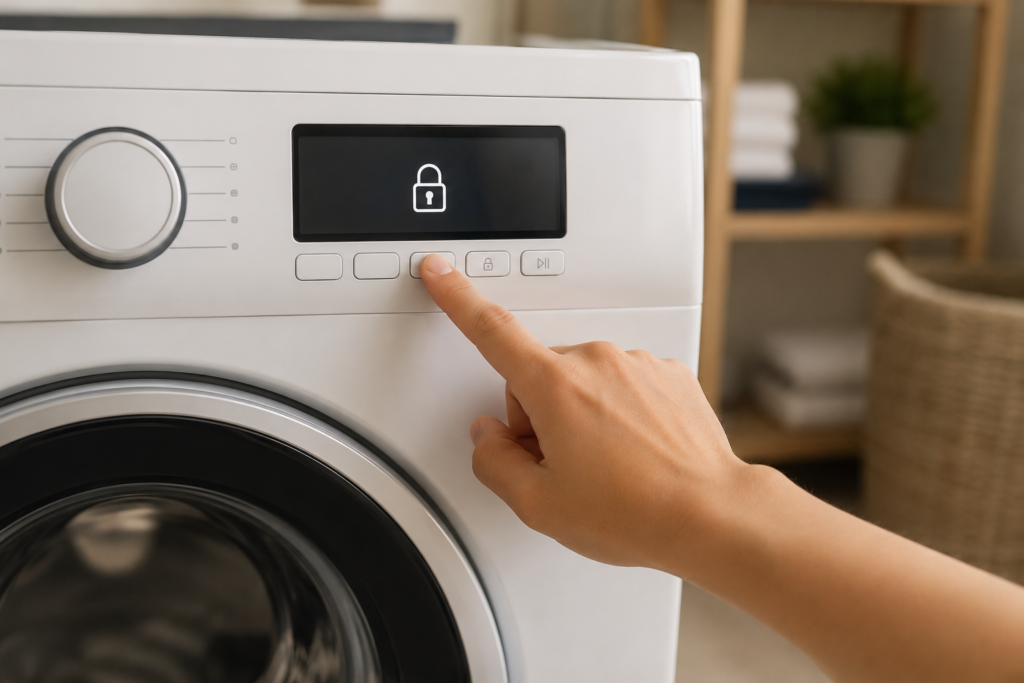
If your washing machine child lock won’t turn off, you’re dealing with one of the most common. and most frustrating .laundry room problems. One moment your machine is working perfectly, and the next, the entire control panel is frozen, a little padlock symbol is staring at you, and nothing you press makes any difference. The good news? In most cases, this is a fixable problem you can solve at home in just a few minutes without calling an engineer. This guide covers everything: why it happens, how to fix it brand by brand, and what to do when standard methods simply aren’t working.
Quick Key Takeaways
- A washing machine child lock usually turns off by holding the correct button or button combination for a few seconds.
- The exact unlock method varies by brand and model, so the control-panel markings and user manual are important.
- If the correct button combination does not work, a power reset can help clear a temporary control-panel or software issue.
- If the lock symbol disappears but the buttons still do not respond, the problem may be separate from the child lock.
- A damaged button, control panel, wiring problem, or control board fault may require further diagnosis if the lock cannot be cleared.
Table of Contents
Why Your Washing Machine Child Lock Won’t Turn Off
If the child lock stays active even after you press the expected button or button combination, the problem is not always a faulty washing machine. In many cases, the machine simply requires the correct unlock sequence for that particular model.
Common reasons include an incorrect button combination, releasing the buttons too quickly, the washer being in an unsuitable operating state, or a temporary control-panel glitch. Moisture or detergent residue around the controls can also interfere with button input.
The most common causes are:
- The wrong child-lock button or combination is being used.
- The buttons are not being held for the required amount of time.
- The washer is still running a cycle or has not completed its current operation.
- A temporary electronic glitch is preventing the control panel from accepting the command.
- Moisture, detergent residue, or a damaged button is interfering with the control input.
- A control panel, wiring, or control board fault may be preventing the lock command from registering.
Start with the simplest possibility: confirm the correct unlock method for your model and hold the required buttons for the full recommended time. If that does not work, move on to the power-reset and diagnostic checks later in this guide.
What Does the Child Lock Actually Do?
The child lock is a built-in safety feature found on almost every modern washing machine. When activated, it disables the control panel so that no buttons can be pressed .preventing children from accidentally changing settings, stopping a cycle, or starting the machine unsafely. When the child lock is active, you’ll typically see one of the following on the display
- A padlock icon (🔒)
- The letters “CL” (Child Lock)
- A key symbol
While the machine may still run an active cycle with the lock on, you won’t be able to start a new programme, adjust settings mid-wash, or cancel a running cycle. Everything is essentially frozen until the lock is deactivated.
The problem is that while the child lock is a useful safety tool, a washing machine child lock that won’t turn off can make your machine completely unusable. and that’s when it stops being a feature and starts being a fault
Why Did the Child Lock Turn On by Itself?

Understanding the cause helps you fix it faster and stop it happening again.
Accidental activation is by far the most common reason. Most machines use a two-button combination to toggle the child lock, and those combinations are often easy to hit accidentally. especially if someone leans against the machine, presses buttons in the wrong order, or a child actually manages to activate the very feature designed to keep them out.
Power interruptions are another cause. If the electricity cuts out mid-cycle and then comes back, some washing machines automatically reactivate the child lock as a precaution. This is especially common on Bosch, Siemens, and LG models.
Software glitches can also cause the washing machine child lock to stay on even after you’ve entered the correct unlock combination. In this situation, the machine isn’t reading your button input correctly. and no amount of pressing the right buttons will clear it until the underlying software issue is addressed.
Finally, sticky or damaged buttons can prevent the deactivation signal from registering. If detergent residue or moisture has built up around a button, it may be physically obstructed without you realising it
How to Turn Off the Child Lock: Universal Steps First

Before going into brand-specific methods, try these general steps that work across the majority of washing machine models.
Step 1: Check Your User Manual
This is genuinely the fastest route to the answer. The child lock deactivation method varies not just by brand, but by model within the same brand. If you don’t have the manual, search online for “[your model number] child lock deactivate” and go straight to the manufacturer’s support page.
Step 2: Hold the Start/Pause Button
On many machines. particularly Bosch and Siemens models. pressing and holding the Start/Pause button for 3 to 5 seconds will deactivate the child lock. You should hear a beep and the padlock symbol or CL indicator will disappear.
Step 3: Try the Two-Button Combination
If Start/Pause alone doesn’t work, the unlock method is usually a simultaneous press-and-hold of two specific buttons for 3 seconds. Common combinations include:
- Temperature + Spin buttons together
- Prewash + Easy Iron buttons together
- RPM + Finished In buttons together
- Silent button held alone
- Soft Plus button held alone
Count a full three seconds before releasing. people often let go too early and assume the combination isn’t working.
Step 4: Make Sure the Machine Is in the Right State
Some machines won’t let you deactivate the washing machine child lock while a cycle is actively running or while water is in the drum. Let the cycle finish fully, wait for the door to unlock, then try the deactivation combination again.
Quick Child Lock Reset Checklist
Before assuming the washing machine has a control-board problem, work through this short checklist. It helps rule out the most common reasons the child lock remains active.
Confirm that the padlock, key, or “CL” symbol is actually showing on the display.
Check the washer’s manual or control-panel markings because the unlock buttons vary by model.
Hold the required button or buttons continuously for the full recommended time instead of tapping them.
If the washer is actively running, draining, or displaying an error, allow the machine to reach a safe stopped state before trying again.
If the correct combination does not respond, disconnect power and follow the reset procedure described later in this guide.
If the lock indicator remains active after these basic checks, move on to the brand-specific instructions rather than repeatedly pressing random buttons. The correct combination for your exact model is the safest and most reliable next step.
Safety Note
Before unplugging or inspecting your washing machine, always switch the appliance off at the wall outlet. Never remove panels or attempt internal electrical repairs unless you have the proper experience. If you notice burning smells, visible sparks, or damaged wiring, stop using the machine immediately and arrange a professional inspection.

What to Check If the Child Lock Still Won’t Turn Off
If you have used the correct button combination and the lock indicator still remains on, do not immediately assume that the control board has failed. A few simple checks can help determine whether the washer is actually locked or whether another problem is preventing normal operation.
Check these points first
- Look for a second indicator. A padlock symbol may appear alongside an error code or another warning that requires attention.
- Check the control panel. Make sure the buttons are clean and dry and that no button appears physically stuck.
- Check the door or lid. A washer may prevent normal control operation when the door or lid is not properly detected as closed.
- Check for an active cycle. Some models restrict certain controls while the washer is operating.
- Check the display for error messages. If an error code remains after the lock is cleared, troubleshoot that fault separately.
If the lock indicator disappears but the washer still does not accept commands, the child lock is probably no longer the main problem. At that point, focus on the control panel, door or lid lock, error code, or another underlying fault rather than repeatedly trying to disable the child lock.
You May Also Like
If your washing machine child lock won’t turn off, these related troubleshooting guides can help you diagnose reset problems, unresponsive controls, display faults, door-lock issues, and other problems that may prevent normal washer operation:
- How to Reset a Washing Machine Step by Step
- Washer Not Reacting to Control Input
- Washing Machine Display Not Working – 10 Easy Fixes
- Why Is My Washing Machine Not Starting?
- Washing Machine Door Not Locking
- Washing Machine Power Button Not Working – 9 Easy Fixes
- Washing Machine Error Codes Explained
- Washing Machine PCB Board Fault Symptoms
Brand-Specific Child Lock Solutions
Even if your washing machine child lock won’t turn off, using the correct button combination for your specific model can usually solve the problem.
Bosch Washing Machine Child Lock Won’t Turn Off
Bosch has three documented methods depending on the model:
Method 1: Press and hold the Start/Pause button for 3–5 seconds until you hear a beep and the key symbol disappears.
Method 2: Press and hold the RPM and Finished In buttons simultaneously for approximately 3 seconds. An audible beep confirms deactivation.
Method 3 (touchscreen models): There should be an illuminated square button with a key symbol and “3 sec” printed underneath. Hold this for 3 seconds. the button will darken and a beep will sound.
For the Bosch WAJ28008GB specifically .a model that frequently appears in customer queries. pressing and holding the Spin and Finish In buttons together for up to 10 seconds has been confirmed to work in cases where the standard 3-second hold fails.
Siemens Washing Machine Child Lock Won’t Turn Off
Siemens uses virtually identical methods to Bosch (both are part of the BSH Group):
- Hold Start/Pause for 3–5 seconds
- Hold RPM + Finished In simultaneously for 3 seconds
- On touchscreen models, hold the dedicated key/lock button for 3 seconds
An important note for Siemens: the child lock remains active even after the machine is switched off. If you’ve turned the machine off and back on again and the lock is still showing, this is normal behaviour. you need to deactivate it while the machine is on before selecting a new programme.
Samsung Washing Machine Child Lock Won’t Turn Off
On most Samsung washing machines, the child lock button is a dedicated button with a padlock icon. Simply press and hold it for 3 seconds. On some models the combination is Temp + Soil Level held together for 3 seconds.
For newer Samsung smart models with Wi-Fi connectivity: check the Samsung SmartThings app. If the lock was activated through the app, it may need to be deactivated there rather than on the machine itself.
LG Washing Machine Child Lock Won’t Turn Off
LG models typically require holding the Child Lock button (often marked with a padlock) for 3 seconds. On certain models, the combination is Rinse + Spin held simultaneously.
LG’s newer ThinQ-connected machines can have the child lock toggled remotely through the LG ThinQ app. If your washing machine child lock won’t turn off on an LG smart model, check the app first. there may be a remote lock active that overrides physical button input.
Whirlpool and Maytag Washing Machine Child Lock Won’t Turn Off
Whirlpool machines use the label “Control Lock” rather than “Child Lock” but it functions identically. Press and hold the Control Lock button for 3 seconds. On older models without a dedicated button, look for “Control Lock” printed in small text beneath one of the existing buttons. hold that button.
One important Whirlpool-specific issue: some older models can enter a diagnostic mode that mimics the appearance of a child lock. If the Control Lock method doesn’t work, check whether the machine is showing any diagnostic codes and consult the manual for how to exit diagnostic mode.
Electrolux Washing Machine Child Lock Won’t Turn Off
Electrolux has several control panel variations, each with a slightly different method:
- Control Panel 1: Hold the Silent button alone until the padlock appears or disappears
- Control Panel 2: Hold the Soft Plus button alone
- Control Panel 3: Press Prewash + Easy Iron simultaneously
- Control Panel 4: Hold Temperature + Spin together for 5 seconds
- Control Panel 5 (older models): Hold Prewash + Easy Iron for 5 seconds
If in doubt, Electrolux’s own guidance recommends: disconnect from the power supply for 5–10 minutes before trying again. which aligns with the power reset method described earlier.
Beko Washing Machine Child Lock Won’t Turn Off
On Beko machines, locate the lock symbol on the control panel. Press and hold the designated button(s). either a single button or a combination depending on the model. for 3 seconds until the lock symbol appears or disappears on the display. Check the control panel for any buttons marked with a padlock or line symbol to identify the correct button
When the Lock Symbol Is Gone but the Panel Still Won’t Respond

This is a different problem. The washing machine child lock display indicator has cleared, but buttons still aren’t doing anything. This points to a separate issue:
Door latch fault: If the door isn’t fully closed and latched, many machines will disable the control panel as a safety precaution. Open and firmly close the door, then try again.
Demo or showroom mode: Some machines have a display mode that keeps the screen active but prevents operation. Check your manual to see if this applies to your model.
Active error code: If there’s a fault code on the display alongside or instead of the lock symbol, the machine may be locked out due to an underlying error. not the child lock itself. Note the code and look it up in the manual
Is It a Hardware Fault? Signs You Need a Technician
If you’ve worked through every step above and the washing machine child lock still won’t turn off, there are two hardware-level causes to consider:
Faulty control board: The control board is the machine’s central processor. When it malfunctions, it can behave as if the child lock is permanently active regardless of button input. This typically requires professional diagnosis. but it’s worth noting that a control board fault will usually come with other symptoms, such as error codes, mid-cycle stops, or lights behaving erratically.
Stuck or failed button: If the specific button used to deactivate the child lock is physically damaged or stuck down internally, pressing it won’t register. A repair technician can test individual button inputs and replace a faulty membrane or button assembly. which is usually considerably cheaper than replacing the full control board.
If your machine is still under manufacturer warranty, contact the brand directly before arranging third-party repairs
How to Prevent the Child Lock from Getting Stuck Again
A few simple habits go a long way:
Clean the control panel regularly. Wipe it down with a dry microfiber cloth detergent residue and moisture around buttons are a leading cause of sticky inputs that misread commands.
Write down the unlock combination somewhere easy to find. Inside a nearby cupboard door works well. If you use the child lock intentionally, forgetting how to turn it off is surprisingly common.
Don’t place heavy items on top of the machine. Vibration during the spin cycle can cause items to shift and press buttons accidentally. which is how many accidental child lock activations happen
About the Author
Muhammad Khalid is the founder of FixAppLab, where he publishes practical appliance troubleshooting guides designed to help homeowners diagnose and solve common washing machine, refrigerator, and dryer problems. Every guide focuses on clear step-by-step instructions, easy-to-understand explanations, and practical repair advice based on real-world appliance issues.
Whether you’re dealing with a washing machine that won’t start, a refrigerator that isn’t cooling properly, or a dryer that keeps stopping, the goal is to make troubleshooting simpler before you spend money on unnecessary repairs.
Explore More Resources
Follow FixAppLab for more appliance repair tips: Facebook | YouTube | Instagram | TikTok | Pinterest


2 comments
[…] Washing Machine Child Lock Won’t Turn Off: Causes and Fixes […]
[…] Washing Machine Child Lock Won’t Turn Off […]