Check Qiwa Contract Status With Iqama Number: 7 Easy Steps
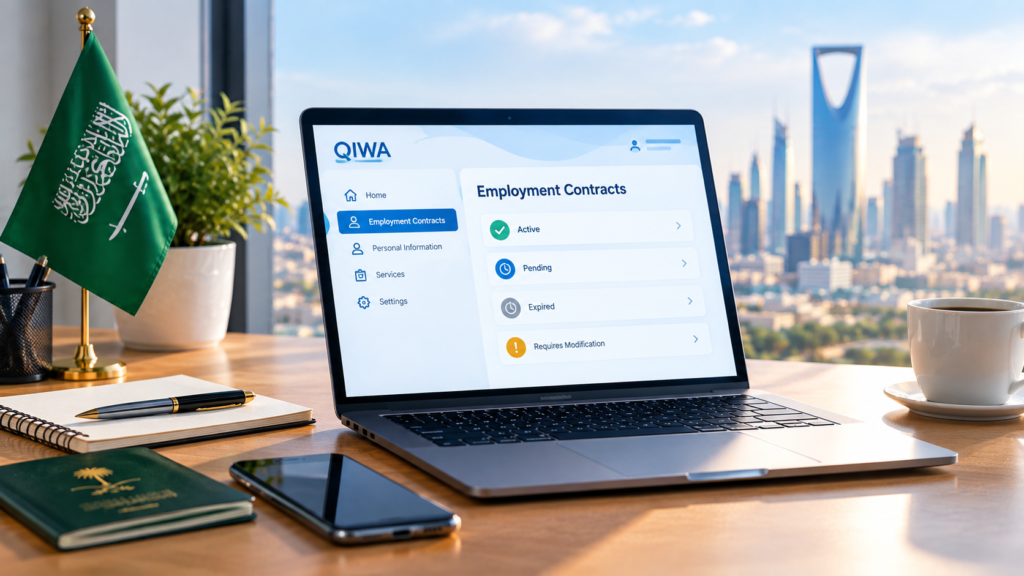
Yes, you can check your Qiwa contract status using your Iqama number — but only through your own Qiwa Individuals account, not through a public search tool. Once you log in and verify your identity, the Employment Contracts section shows your current contract status, salary details, and job title in a few clicks. Here’s exactly how the process works.
- You cannot publicly check a Qiwa employment contract using only an Iqama number.
- You need to access your own Qiwa Individuals account to view contract details.
- Your contract may show the employer, job title, salary, duration, working hours, and status.
- Always review the contract carefully before accepting any pending agreement.
- Never share your Qiwa password, Nafath approval, or verification code with another person.
Qiwa Contract Status Checker
Want a quick way to organize your contract review? Use our free Qiwa Contract Status Checker to review the status and important employment details without entering your Iqama number.
Open Free Qiwa Tool →Table of Contents
Why Your Contract Status Actually Matters
It’s tempting to treat this as a formality, but the contract sitting in your Qiwa account affects more than you might expect. It’s tied to your Iqama renewal, your eligibility for an employer transfer, and the numbers used to calculate your end-of-service settlement down the line. A common issue we see is workers assuming everything is fine simply because they started the job — only to find out months later that the contract was never actually submitted, or that the salary listed doesn’t match what they agreed to verbally.
Checking early saves headaches later. If your employer changed something without telling you, or simply forgot to finalize the paperwork, catching it in the first few weeks is far easier than trying to fix it after a dispute.
No, You Can’t Look It Up With Just an Iqama Number
This is where most confusion comes from. Some sites and social media posts suggest there’s a way to type in an Iqama number and instantly pull up someone’s contract. There isn’t — and that’s by design. Employment records are private, and Qiwa doesn’t offer a public lookup feature.
Your Iqama number is your identifier inside your personal account, not a search key anyone can use from outside it. If a website or “agent” offers to check your contract just by asking for your Iqama number, treat that as a red flag rather than a shortcut.
Be careful if someone claims they can check your Qiwa contract using only your Iqama number. Your employment information should be accessed through your own account.
- Never share your Qiwa password.
- Never share a Nafath approval request with someone else.
- Never give anyone your OTP or verification code.
- Avoid entering your Iqama details on unfamiliar websites or links.
Have these ready before opening your Qiwa account:
Use your own valid identification details.
Make sure you can access your Individuals account.
Keep your identity verification method available.
Know the employer and job details you expect to see.
Step-by-Step: Checking Your Contract on Qiwa
1. Go to the Official Qiwa Site
Type the address in directly rather than clicking a link from a WhatsApp forward or an unfamiliar page. A surprising number of lookalike sites exist purely to collect personal information from workers trying to check their contract status.
2. Log In With Your Iqama Number
On the Qiwa Individuals (Afrad) login screen, enter your Iqama number and password, or sign in through Nafath — which has become the standard identity verification method across most Saudi government platforms at this point.
3. Verify Your Identity
Depending on how you log in, you’ll either approve the sign-in from inside the Nafath app or enter a one-time code sent to the mobile number linked to your Absher profile. This step exists specifically so that only you can access your own contract details.
4. Head to Employment Contracts
From your dashboard, go to Services (sometimes labeled Individual Information), then select Employment Contracts. This is the section that holds every contract tied to your profile — past, current, and pending.
5. Open and Review the Contract
Click into the relevant contract to see the employer name, job title, salary, contract type, duration, and working hours. This is the point where it’s worth comparing every line against what was actually agreed with your employer, not just skimming for a green checkmark.
What the Different Statuses Mean
Once you’re inside a contract, you’ll see one of several status labels. Here’s a quick breakdown:
| Status | What It Means |
|---|---|
| Pending your approval | Employer submitted it; you need to accept, reject, or request changes |
| Active / Valid | Both parties agreed — it’s documented and legally binding |
| Requires modification | You flagged an error and it’s back with the employer |
| Expired / Terminated | The contract period ended or employment has closed |
Knowing what each label actually means makes the whole process feel far less confusing than just seeing an unfamiliar word on screen.
If a contract is waiting for your approval, compare the information on Qiwa with the terms you actually agreed to.
Before You Hit “Accept”
If you find a pending contract, resist the urge to approve it right away. Go through it properly first:
- Does the job title match what was actually offered?
- Is the salary — including allowances — what you agreed to?
- Is the contract duration fixed-term or open-ended, and does that match your expectations?
- Do the working hours line up with reality?
If anything’s off, use Request Modification instead of rejecting outright. It keeps the process open without locking you into terms you didn’t actually agree to.
If Your Contract Isn’t Showing Up
This happens more often than you’d think, and it’s rarely something you did wrong. A few likely explanations:
The employer hasn’t submitted it yet. This is by far the most common cause, especially for newer hires — HR departments sometimes take weeks to register contracts electronically.
Your personal details don’t match your employment record. Double-check that your information on Absher is current and consistent.
The Qiwa interface has changed. Government portals get updated periodically, so a guide — even a recent one — might describe a slightly different menu layout than what you’re seeing.
If none of that explains it, the fastest fix is simply messaging your employer’s HR contact and asking them to confirm the contract has actually been created.
Is There a Fee?
No. Verifying your contract through your own Qiwa account is completely free — it’s a standard HRSD service. If any third-party site asks for payment to “check” your contract using only your Iqama number, that’s not a legitimate service. Walk away.
A Quick Word on Security
Your Iqama number and Qiwa login are sensitive. Never share your password or one-time verification codes with a recruiter, agent, or anyone claiming they’ll “check it for you.” If someone genuinely needs to help you navigate the platform, do it together on your own device and your own login — never hand over credentials.
When It’s Worth Checking Again
A few moments where it’s genuinely worth logging back in:
- After a salary change or promotion
- When your contract is due for renewal
- If your employer sends a new or amended contract
- Before signing anything you haven’t personally reviewed
Treat it less like a one-time task and more like a habit — a few minutes now can save weeks of back-and-forth later.
Useful Saudi Guides & Tools
Explore more helpful Saudi Arabia guides and free tools from Fix App Lab.
Qiwa Contract Status Checker
Review Qiwa contract statuses and check important employment details without entering your Iqama number.
Open Free Tool →Saudi Appreciation Certificate
Learn what a Saudi appreciation certificate is, when it is used, and what information a professional certificate should include.
Read Guide →Free Internet Saudi Arabia 2026
Explore Mobily and Zain data offers, promotional packages, and important safety tips for checking internet deals.
Read Guide →Bottom Line
Checking your contract status comes down to one thing: logging into your own Qiwa Individuals account with your Iqama number, verifying through Nafath or a password, and opening the Employment Contracts section. From there, everything — job title, salary, duration, and current status — is right in front of you.
The habit worth building isn’t checking once and forgetting about it. It’s opening that section every time something changes, so what’s written always matches what you actually agreed to.


Comments