Samsung Refrigerator Freezer Overcooling Problem
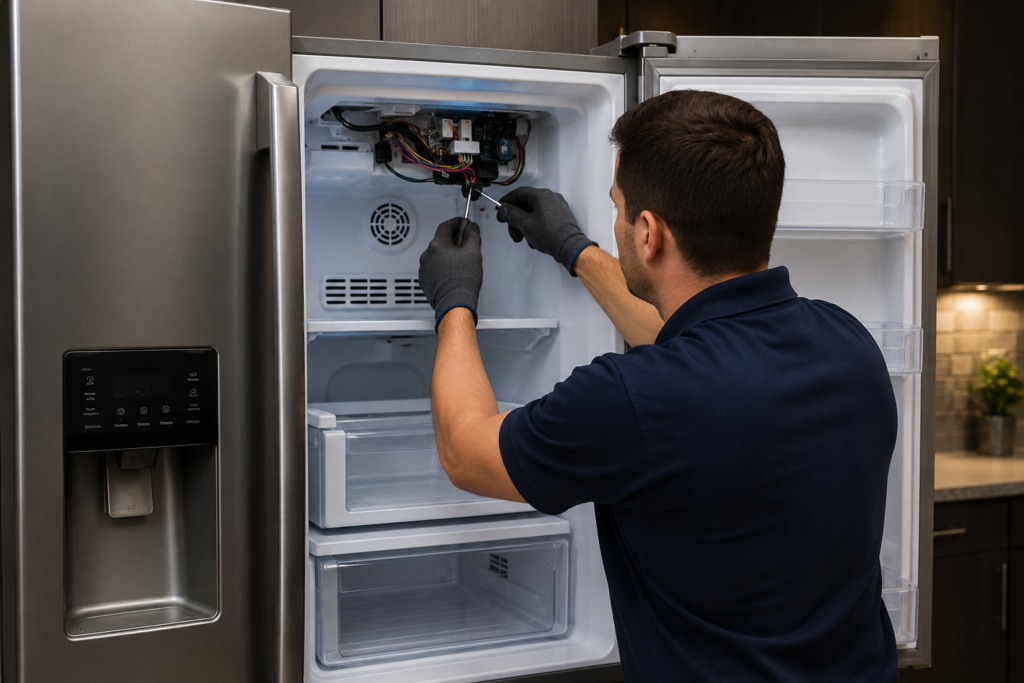
If your ice cream has turned into a rock, your lettuce has frost on it, and water bottles are bursting inside the door, you’re probably dealing with a Samsung refrigerator freezer overcooling problem. It’s one of the most common complaints Samsung owners run into, and while it can be alarming the first time you notice it, most cases are fixable without calling in an expensive technician. This guide walks through exactly why the freezer runs colder than it should, how to tell what’s actually wrong, and the practical steps you can take to bring things back to normal.
A Samsung refrigerator freezer overcooling problem is usually caused by an incorrect temperature setting, Power Freeze mode left on, a faulty thermistor, a stuck air damper, worn door seals, or a defrost cycle that has stopped running. Checking settings and door seals first solves the majority of cases before any parts need replacing
Quick Key Takeaways
- Set the freezer temperature to 0°F (-18°C) for normal operation.
- Check that Power Freeze mode has not been left enabled.
- A faulty thermistor is one of the most common causes of freezer overcooling.
- Inspect door gaskets for air leaks that can force the compressor to run longer.
- Use an appliance thermometer to compare the actual freezer temperature with the display.
- Replace parts only after confirming the real cause to avoid unnecessary repair costs.
Table of Contents
What Does It Mean When a Samsung Freezer Overcools?
A Samsung refrigerator freezer overcooling problem happens when the freezer compartment keeps dropping in temperature well past the point where it should stop. Instead of cycling on and off around your set point, the compressor keeps running, and the internal temperature falls far below the target of roughly 0°F (-18°C).
Left unaddressed, this doesn’t just waste energy and ruin food texture. It can eventually strain other components, including the compressor itself, and turn a simple setting issue into a costly repair.
Because the fridge and freezer sections in most Samsung models share cooling from the same source, an overcooling freezer can also drag down the temperature in the fresh food compartment, freezing vegetables, dairy, and drinks that should stay just above freezing.
Common Signs of a Samsung Refrigerator Freezer Overcooling Problem

Before jumping into fixes, it helps to confirm what you’re actually experiencing. Watch for these signs together, since two or three at once is a strong indicator of genuine overcooling rather than a one-off glitch:
- Ice cream that’s rock-hard and impossible to scoop
- Frozen vegetables coated in visible ice crystals
- Meat or deli items noticeably harder than usual
- Heavy frost building up along the back wall or shelves
- The fridge section feeling colder than expected
- Water bottles freezing solid within a couple of hours
- A compressor that runs almost nonstop instead of cycling normally
- A gradual rise in your energy bill
If several of these sound familiar, it’s worth working through the causes below rather than just adjusting the dial and hoping for the best.
Why Your Samsung Freezer Keeps Getting Too Cold
There are several distinct causes behind a Samsung refrigerator freezer overcooling problem, and narrowing down the right one will save you time, money, and unnecessary parts purchases.
1. Incorrect Temperature Settings
This is the simplest explanation and the first thing worth ruling out. Sometimes the freezer gets set lower than intended during cleaning, or someone bumps the display without noticing. Confirm the freezer is set to 0°F (-18°C) and the fridge to somewhere between 34°F and 38°F (roughly 1°C to 3°C).
Also check whether Power Freeze or Power Cool mode has been left active. This feature deliberately drops the freezer several degrees colder for rapid freezing of new groceries and normally disables itself after about 72 hours, but it can occasionally stay stuck on, especially after a power outage. Turning it off by holding the Freezer button for a few seconds often resolves the issue on its own within a day.
2. A Faulty Thermistor
The thermistor is the small sensor responsible for reporting the freezer’s actual temperature to the main control board. When it fails or drifts out of calibration, it can tell the board that the compartment is warmer than it really is, so the board keeps driving the compressor harder to reach a target it thinks it hasn’t hit yet. This is one of the most frequent root causes of excessive cooling on Samsung units.
You can test for this yourself with an independent appliance thermometer left in the freezer for a few hours. If the actual reading is significantly colder than what the display shows, the thermistor is likely feeding the board false information and probably needs replacing.
3. A Damaged or Stuck Air Damper
Many Samsung refrigerators use a damper assembly to regulate how much cold air moves between the freezer and the fresh food section. If this damper gets stuck open, whether from a broken motor, worn gears, or frost accumulation around the mechanism, cold air keeps flooding into the fridge compartment uninterrupted. This not only overcools the fridge side but can throw off the whole system’s temperature balance, pushing the freezer colder as the control board tries to compensate.
Listening near the upper rear vent for airflow that never seems to stop cycling is a good way to spot this problem before opening anything up.
4. Control Board Malfunction
The main control board interprets data from every sensor in the unit and issues commands to the compressor and fans accordingly. When it develops an internal fault, sometimes triggered by a power surge or simply age, it can ignore incoming sensor readings altogether and run the compressor at full speed regardless of the actual temperature.
This one is usually diagnosed by elimination: if the thermistor tests fine, the damper moves freely, Power Freeze is off, and the freezer is still dropping well below its target, the control board is the most likely remaining suspect.
You May Also Like
If you’re dealing with a Samsung refrigerator freezer overcooling problem, these expert troubleshooting guides can help you diagnose other common refrigerator cooling issues more quickly:
5. Worn or Damaged Door Seals
A cracked, torn, or dirty door gasket lets warm air seep into the freezer every time it fails to seal properly. Counterintuitively, this doesn’t just warm the compartment. It causes the system to overcompensate by running the compressor longer and harder to fight the incoming warm air, and the end result is often more ice buildup and colder-than-normal temperatures in the sections nearest the door.
The classic test here is closing the door on a piece of paper and seeing how easily it slides back out. If it comes free with little resistance, the seal isn’t doing its job.
6. Defrost System Failures
Every so often, the freezer runs a defrost cycle that briefly warms the evaporator coils to melt accumulated frost. If this cycle stops triggering, whether from a bad heater, a failed timer, or a control board that isn’t sending the signal, the freezer never gets these small warming breaks and settles into a consistently colder average temperature. This also tends to create uneven cooling, with ice building up heavily near the evaporator while other areas of the compartment behave inconsistently
Quick Troubleshooting Checklist
| Check | What to Look For |
|---|---|
| Temperature Setting | Freezer set to 0°F (-18°C) |
| Power Freeze | Make sure it is turned OFF |
| Door Seal | No gaps, tears or loose gasket |
| Thermistor | Actual temperature matches display |
| Air Damper | Opens and closes normally without frost blockage |
How to Diagnose a Samsung Refrigerator Freezer Overcooling Problem

Work through these steps in order rather than jumping straight to a repair. Most homeowners can complete this whole sequence in under a day:
- Check the settings. Confirm the freezer reads 0°F and that Power Freeze isn’t active.
- Verify the real temperature. Place an independent thermometer inside the freezer for several hours rather than trusting the display alone, since a failing sensor can make the display lie to you.
- Test the door seals. Run the paper test on all four sides of both doors, not just one spot, since a seal can be fine in one corner and loose in another.
- Listen to the compressor. A unit that almost never cycles off points toward the thermistor or control board.
- Inspect the damper area. Check for frost buildup along the back wall between the fridge and freezer sections, since ice here often stops the damper from closing properly.
If none of this turns up an obvious cause, a full power reset can sometimes clear a temporary electronic glitch. Unplug the unit for about ten minutes, plug it back in, and give it 24 hours to stabilize before checking temperatures again.
Fixing a Samsung Refrigerator Freezer Overcooling Problem

Once you’ve identified the likely cause, the repair path becomes much clearer:
- Setting issue: Restore the correct temperature and disable Power Freeze. It can take a full day for the freezer to normalize after the change.
- Faulty thermistor: Usually an affordable, straightforward swap, since the sensor typically clips into place near the evaporator coils without major disassembly.
- Stuck damper: Best replaced entirely rather than forced open or closed by hand, since the underlying motor issue will simply return.
- Worn door gasket: Inexpensive to replace and manageable with basic tools. Try cleaning the seal with warm soapy water first before assuming it needs full replacement.
- Control board failure: The most involved and costly repair on this list, so rule out every other possibility first, including checking wiring connections for corrosion, since what looks like a board failure is occasionally just a loose connection
Common Mistakes to Avoid
- Lowering the freezer temperature even more when food starts freezing.
- Leaving Power Freeze mode enabled for several days.
- Ignoring worn or dirty door seals that allow warm air to enter.
- Replacing expensive parts before confirming the actual fault.
- Blocking freezer air vents with large food containers.
- Relying only on the display instead of checking the actual temperature with a thermometer.
Preventing Future Overcooling Issues
Once your Samsung refrigerator freezer overcooling problem has been resolved, a little routine maintenance goes a long way toward keeping it from coming back. Clean the condenser coils every six to twelve months, since dust buildup forces the compressor to work harder than necessary. Check door seals periodically for wear, particularly in busy households where doors get leaned on or bumped often.
Avoid overstuffing the freezer or blocking the internal air vents, since restricted airflow forces the system to run longer to reach the same target temperature, which can recreate the same imbalance that caused overcooling in the first place. Keeping the unit reasonably stocked rather than nearly empty also helps maintain steadier internal temperatures, since frozen items hold cold more consistently than empty air space.
When to Call a Professional
While plenty of Samsung refrigerator freezer overcooling problem cases can be handled by a confident do-it-yourselfer, some repairs are best left to a licensed technician. Anything involving the sealed refrigerant system requires specialized tools and certification to handle safely, and control board diagnosis can be tricky to confirm without proper testing equipment.
If you’ve already checked the settings, tested the door seals, reset the unit, and replaced the thermistor without improvement, a professional diagnosis will save you from a frustrating cycle of guesswork and unnecessary part purchases.
Final Thoughts
A Samsung refrigerator freezer overcooling problem almost always traces back to one of a handful of causes: incorrect settings, a failing thermistor, a stuck damper, worn door seals, a defrost system that’s stopped cycling, or, less commonly, a control board fault. Working through the causes systematically rather than replacing parts at random will get you to the right fix faster and cheaper. With the temperature settings confirmed, the seals in good shape, and a bit of regular maintenance going forward, most Samsung refrigerators return to steady, reliable cooling without any lasting damage to the appliance.
About the Author
Muhammad Khalid
Muhammad Khalid is the founder of FixAppLab, where he publishes practical appliance troubleshooting guides based on real-world research and technical best practices. His goal is to help homeowners diagnose refrigerator, washing machine, and dryer problems using clear, easy-to-follow repair advice that saves both time and unnecessary repair costs.
Every guide is carefully reviewed for accuracy, readability, and user value before publication, following the website’s editorial standards.
Explore More


Comments