Top Load Washer Clicking But Not Starting? 9 Causes and Proven Fixes
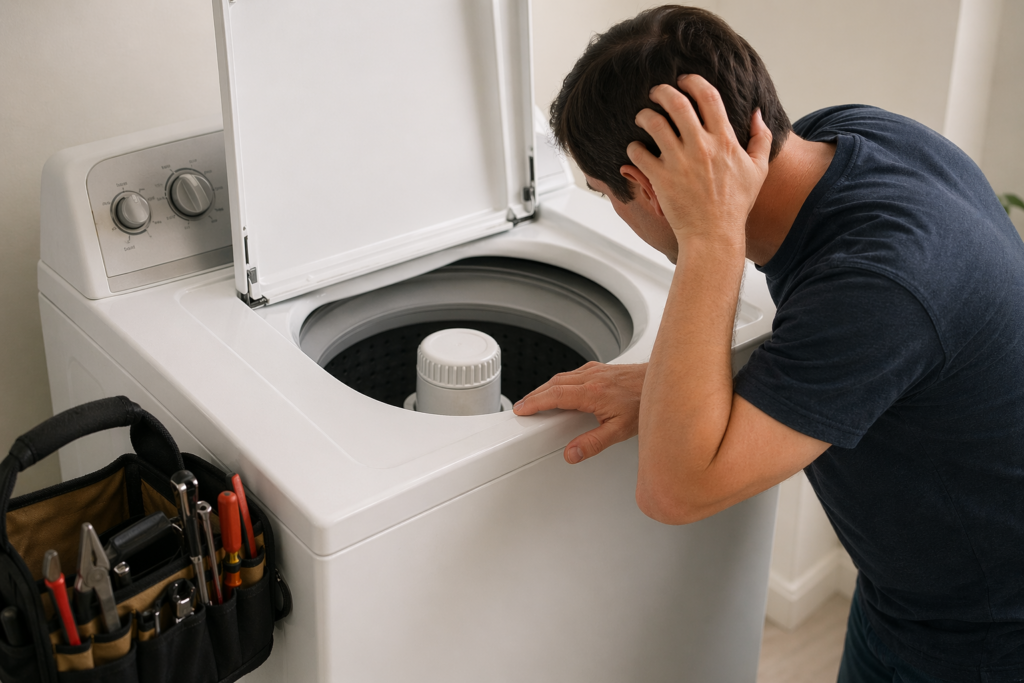
A top load washer clicking but not starting usually indicates that the machine is attempting to begin a wash cycle but cannot complete a required step. This is often linked to lid lock issues, electrical faults, or control system interruptions. The clicking sound itself is not the fault. it’s a signal that something inside the washer is failing to engage properly
Quick Answer
A top load washer clicking but not starting usually indicates a problem with the lid lock, control board, or power supply. The clicking sound means the washer is attempting to start but cannot complete the process due to a failed component or safety system interruption.
Table of Contents
Why the Washer Clicks Before It Starts
Every modern washing machine follows a programmed startup sequence before initiating a wash cycle. When you press the start button, the washer does not immediately begin filling with water or spinning. Instead, it performs internal checks to confirm that key conditions—such as lid closure, system readiness, and component response .are satisfied.
The clicking sound is often part of this process. It may come from a relay on the control board, a lid lock attempting to engage, or an internal switch activating. In a properly functioning washer, this click is brief and followed by normal operation. When the washer fails to proceed, it indicates that the system is stuck between the initial check and the execution phase. In simple terms, the machine is receiving the command to start but cannot move forward due to an interruption in its startup sequence
The Most Common Reason: Lid Lock and Safety Systems
Top-load washers depend heavily on lid lock and safety switch mechanisms to operate. If the machine cannot verify that the lid is securely closed, it will not begin the wash cycle. This is not optional—it is a built-in safety feature designed to prevent injury and water spillage.
Inside the washer, a small component either locks the lid or detects its position. When you hear repeated clicking, it often means the lid lock is attempting to engage but failing. This failure can result from several practical issues, including:
- Slight misalignment of the lid latch
- Dirt, lint, or detergent residue blocking proper contact
- Wear and tear of the internal switch over time
Consider a common real-life situation: someone loads the washer quickly and shuts the lid without checking alignment. A piece of clothing, such as a towel, prevents the lid from closing fully. The washer responds with repeated clicking but does not start. Once the obstruction is removed, the issue resolves immediately. These small alignment problems are more common than many users realize and are often overlooked during troubleshooting
9 Common Causes and Fixes
When a top load washer clicking but not starting problem occurs, the clicking noise is usually a sign that the washer is attempting to begin its cycle but cannot complete one of the required startup checks. The exact cause depends on where the clicking comes from, whether the lid locks, and what the washer does immediately afterward.
Important: Start with the simple external checks before replacing parts. A lid-lock problem, poor power connection, or temporary control glitch can produce symptoms that look more serious than they actually are.
1. Lid Lock or Lid Switch Problem
The lid-lock system is one of the first things a top-load washer checks before starting. If the washer cannot confirm that the lid is properly closed and secured, it may click once or repeatedly without beginning the wash cycle.
A worn lid lock, faulty lid switch, damaged locking mechanism, or an electrical problem inside the lock can prevent the washer from moving past the startup stage.
What to check:
- Make sure the lid closes completely.
- Check that clothing is not trapped near the latch.
- Look for visible damage around the lid-lock area.
- Listen for the lock attempting to engage after pressing Start.
If the lid closes normally but the washer repeatedly clicks without starting, the lid-lock assembly may require further testing or replacement.
2. Misaligned Lid Strike or Latch
Sometimes the lid lock itself is working, but the lid strike or latch is not lining up correctly with it. Even a small alignment problem can prevent the washer from receiving the signal that the lid is safely closed.
This can happen because of normal wear, a loose component, physical damage, or an object interfering with the closing area.
Simple fix: Open and close the lid carefully and check the latch area for lint, detergent residue, clothing, or other obstructions. Do not force the lid or lock mechanism.
3. Control Board or Relay Problem
The control board coordinates the washer’s startup sequence and sends power to components at the appropriate time. A relay on the board may click when the washer receives the Start command, but a failed relay or damaged control circuit can prevent the cycle from continuing.
This possibility becomes more likely when the display and buttons work normally but the washer consistently clicks without starting.
Possible signs include:
- Repeated clicking from the control-panel area.
- Controls appear normal but the cycle does not begin.
- The washer starts intermittently.
- The problem remains after a proper reset.
Control-board diagnosis usually requires electrical testing and should not involve opening the appliance unless you have the appropriate knowledge and equipment.
4. Start Button or Control Panel Issue
A washer can appear ready to operate while the Start command is not being registered correctly. A worn Start button, damaged control panel, moisture-related issue, or control-panel fault can interrupt the beginning of the cycle.
Pay attention to whether the Start button responds normally. If you have to press it repeatedly, hold it unusually long, or the response changes from one attempt to another, the control interface may be part of the problem.
5. Faulty Outlet or Power Supply
A washing machine may have enough power for the display and indicator lights to turn on while still experiencing a power-related problem that prevents normal operation. A loose plug, damaged power cord, faulty outlet, or electrical connection can cause unusual startup behavior.
Check that the power cord is firmly connected and that the outlet is functioning properly. If the outlet appears damaged, loose, overheated, or shows signs of burning, stop using it and have the electrical problem addressed.
6. Motor or Drive System Problem
If the washer successfully completes its initial checks but cannot engage the motor or drive system, you may hear a click followed by silence. Depending on the washer design, the underlying issue may involve the motor, drive components, belt, coupling, or another part of the transmission system.
This possibility becomes more important when the washer previously made unusual noises, struggled to spin, stopped during cycles, or developed other mechanical symptoms.
Do not reach into the washer or attempt to move internal mechanical components while the appliance is connected to power.
7. Something Is Jammed in the Drive System
A mechanical obstruction can prevent the washer from starting normally. Small objects such as coins, buttons, or other items can sometimes become trapped in areas of the appliance and interfere with moving components.
If the washer clicks and appears to attempt movement but stops immediately, an obstruction or mechanical resistance may be worth considering, especially if the problem appeared after washing clothing containing loose objects.
8. Loose or Damaged Wiring
Internal wiring connects the control system with components such as the lid lock, motor, and other electrical parts. A loose connection, damaged wire, or poor terminal connection can interrupt the startup sequence.
Wiring problems can be difficult to identify from the outside. If the washer works intermittently, stops after being moved, or shows signs of electrical damage, internal wiring may need to be inspected by a qualified technician.
9. Temporary Electronic Glitch
Not every clicking problem means a component has permanently failed. A temporary control-system error can sometimes prevent a washer from completing its startup sequence.
Disconnecting the washer from power for several minutes and then reconnecting it can help determine whether the problem was temporary. However, a reset does not repair a damaged lid lock, motor, control board, wiring connection, or other failed component.
Quick Diagnosis
- Click near the lid: Check the lid lock, switch, latch, and lid alignment.
- Click from the control area: Consider the control board, relay, or control panel.
- Lights work but washer does nothing: Check the Start command, lid-lock system, and power supply.
- Click followed by a motor attempt: Consider a motor or drive-system problem.
- Works after a reset: A temporary electronic issue may have been involved.
- Repeated clicking with no improvement: Further diagnosis may be required.
Practical Troubleshooting Steps
If your top load washer clicks but won’t start, the best approach is to work through the basic checks in a logical order. Start with the lid and power supply before moving toward possible electrical or mechanical faults.
Start simple: Do not replace the control board, lid lock, motor, or other parts until the basic checks have been completed.
Step 1: Check the Lid
Close the lid completely and make sure it sits evenly. Check around the latch for clothing, lint, detergent residue, or anything that could prevent the lid from closing correctly.
If the washer clicks immediately after you press Start, pay particular attention to whether the lid lock attempts to engage.
Step 2: Check the Power Connection
Confirm that the power cord is firmly connected and that the outlet is working normally. A washer can sometimes have an active display while still experiencing a power-related problem.
Do not continue using an outlet that is loose, overheated, damaged, or showing burn marks.
Step 3: Reset the Washer
Disconnect the washer from power for several minutes, then reconnect it and try starting a normal cycle.
If the washer starts after the reset, a temporary electronic problem may have interrupted the startup sequence. If the clicking returns, the underlying fault still needs to be identified.
Step 4: Try an Empty Cycle
Remove the clothes and attempt to start the washer with the tub empty. This can help rule out an obvious loading or obstruction issue.
If the washer continues clicking with an empty tub, the problem is less likely to be caused simply by the size or weight of the load.
Step 5: Identify When the Clicking Happens
Pay attention to the exact moment the sound occurs. A click immediately after pressing Start can point toward the lid-lock or control system. A click followed by an attempted motor movement may indicate a drive-related problem.
The location of the sound can also help narrow the possibilities. Listen carefully without opening the appliance or touching internal components.
Step 6: Look for Other Symptoms
Think about what happened before the washer stopped starting. Previous symptoms can provide useful clues.
- Was the washer making unusual noises?
- Was it stopping during a previous cycle?
- Was the lid lock already acting inconsistently?
- Did the problem begin after a power interruption?
- Was the washer having trouble spinning or draining?
These details can help distinguish a simple startup issue from a developing electrical or mechanical problem.
Quick Troubleshooting Order
- Check the lid and latch.
- Confirm the power connection.
- Reset the washer.
- Try an empty cycle.
- Listen to when and where the clicking occurs.
- Consider any symptoms that appeared before the problem.
Safety Tips Before Inspecting the Washer
Troubleshooting a top load washer clicking but not starting problem can involve electrical and mechanical components. Simple external checks are generally safer, but internal inspection should only be performed when you have the appropriate knowledge and tools.
Safety first: Disconnect the washer from the electrical supply before opening panels or inspecting internal components.
- Unplug the washer before inspecting internal parts.
- Never bypass or disable the lid-lock or safety switch.
- Do not touch exposed wiring or electrical terminals without proper training.
- Do not force the lid, latch, or locking mechanism.
- Stop troubleshooting if you notice burning smells, smoke, melted wiring, or visible electrical damage.
- Keep hands away from moving mechanical components.
If the basic checks do not identify the problem, it is safer to have the washer properly diagnosed than to guess at internal part replacement.
You May Also Like
If your top load washer clicks but won’t start, these related troubleshooting guides can help you identify other possible starting, electrical, lid-lock, control, and motor-related problems:
- Washing Machine Relay Clicking But Not Starting
- Why Is My Washing Machine Not Starting?
- Washer Turns On But Does Nothing: 9 Easy Solutions
- Washing Machine Takes Multiple Attempts to Start: 7 Easy Fixes
- Washing Machine Lid Switch Problems
- Washing Machine Start Relay Problems
- Washing Machine PCB Board Fault Symptoms
- Washing Machine Power Supply Issue Symptoms
- Washing Machine Power Button Not Working: 9 Easy Fixes
- Washing Machine Motor Not Working
Control Boards and Why They Sometimes Fail Quietly

The control board, often referred to as the washer’s central processing unit, manages all major functions. It controls when the lid locks, when water enters the drum, and when the motor engages. When this component begins to fail, the symptoms may not be obvious.
A clicking sound coming from the control panel area often indicates a relay attempting to activate. Relays are small electrical switches responsible for directing power to different components. If a relay is damaged or worn, it may produce a repetitive clicking noise without successfully transferring power. What makes this issue particularly confusing is that the washer may appear to function normally on the surface:
- The display panel is active
- Indicator lights turn on
- Buttons respond to input
Despite these signs, the washer does not start. In many cases, this represents a partial system failure, where the machine begins the startup process but cannot complete it due to an internal fault
Mechanical Problems That Interrupt the Start Process
Not all causes of a top load washer clicking but not starting are electronic. Mechanical issues can also prevent the washer from beginning its cycle, even when the electrical system is functioning correctly.
Common mechanical causes include
- A worn or damaged motor coupling
- A loose, stretched, or broken drive belt
- Obstructions creating resistance in the drum or drive system
When the washer attempts to start, it checks whether its internal components can move freely. If resistance is detected, the system may stop immediately after a clicking sound.
For example, a small object such as a coin or button can become lodged inside the washer mechanism. When the motor tries to engage, the obstruction prevents movement. The washer detects this resistance and halts operation to avoid further damage. In these situations, the clicking sound reflects an attempted start rather than a completed action
Power Supply and Subtle Electrical Issues
Electrical problems do not always result in a completely non-functional washer. In some cases, the appliance receives enough power to turn on but not enough to operate effectively. This condition can lead to a top load washer clicking but not starting, particularly when:
- The electrical outlet is unstable or faulty
- The power cord connection is loose
- Internal wiring has minor damage or wear
Under these conditions, the washer may attempt to initiate a cycle, producing a clicking sound, but fail to continue due to inconsistent power delivery. Because the control panel may still light up, users often assume the power supply is functioning correctly. This can lead to misdiagnosis, as partial power issues are less obvious but equally disruptive
Practical Troubleshooting That Makes Sense

Effective troubleshooting begins with simple, logical checks rather than immediate part replacement. A structured approach can help identify the root cause more efficiently.
Start with basic external checks
- Ensure the lid closes completely and evenly
- Unplug the washer for several minutes to reset the system
- Test with a smaller load to rule out imbalance
- Listen carefully to determine whether the clicking originates from the lid area or control panel
Next, move to slightly deeper inspection:
- Test the power outlet using another appliance
- Check the lid lock area for debris or visible damage
- Observe whether the washer hesitates or shows delayed response
This step-by-step method reduces unnecessary repairs and helps isolate whether the issue is electrical, mechanical, or related to user operation
Pro Troubleshooting Checklist
- ✔ Confirm lid lock is engaging properly
- ✔ Reset washer (unplug for 5–10 minutes)
- ✔ Check outlet and voltage stability
- ✔ Inspect control board for burn marks
- ✔ Test washer with smaller load
Safety and Practical Considerations
Working with washing machines involves both electrical and mechanical risks. Even minor inspections should be approached with care.
Follow these essential safety practices
- Always unplug the washer before inspecting internal components
- Avoid forcing parts such as lid locks or control knobs
- Use caution when moving or tilting the machine
- Do not attempt complex repairs without proper tools or experience
Opening panels or accessing internal systems can expose sensitive wiring and components. A careful, methodical approach minimizes the risk of injury and prevents additional damage to the appliance
Safety Note
Always unplug your washing machine before inspecting internal components. Avoid touching wiring or electrical parts unless you have experience. Incorrect handling can cause damage or injury.
When It’s Time to Step Back and Reassess
After completing basic troubleshooting, it is important to recognize when further effort may not be practical. Continuing to test without clear progress can lead to unnecessary frustration.
When to Call a Technician
If your top load washer clicks but won’t start after the basic checks and reset, the problem may involve an internal component that requires further testing. At that point, replacing parts based only on the clicking sound can become expensive and may not solve the problem.
Consider professional diagnosis if the washer:
- Continues clicking without starting a cycle.
- Has a lid lock that does not engage or behaves inconsistently.
- Shows signs of damaged wiring or electrical components.
- Produces a burning smell, smoke, or unusual electrical noise.
- Clicks and attempts to start but the motor does not run.
- Works intermittently and repeatedly develops the same problem.
- Still fails after the power reset and basic external checks.
Important: If you notice smoke, burning, exposed electrical wiring, or signs of overheating, disconnect the washer from power if it is safe to do so and stop using it until the problem has been properly assessed.
A qualified appliance technician can test the lid-lock system, control components, wiring, motor, and other parts to determine which component is actually preventing the washer from starting.
Final Takeaway
A top load washer clicking but not starting does not automatically mean the washer needs an expensive repair. The lid-lock system, latch alignment, power supply, control components, motor, wiring, or a temporary electronic problem can all produce similar symptoms.
Start with the simple checks first, including the lid, latch, power connection, and washer reset. If the clicking continues or you notice electrical or mechanical warning signs, stop guessing at replacement parts and have the washer properly diagnosed.
Muhammad Khalid
Founder of FixAppLab • Appliance Troubleshooting Specialist
Muhammad Khalid is the founder of FixAppLab, a resource focused on explaining appliance behavior, common faults, and practical repair solutions. His work centers on helping homeowners understand how washing machines, dryers, and refrigerators operate, and why issues such as electrical faults, mechanical wear, or system errors occur in real-world use.
Explore detailed troubleshooting guides on washing machine problems , refrigerator issues , and other home appliance topics designed to provide clear, step-by-step solutions.


Comments