Washer Not Reacting to Control Input? 6 Easy Fixes That Actually Work
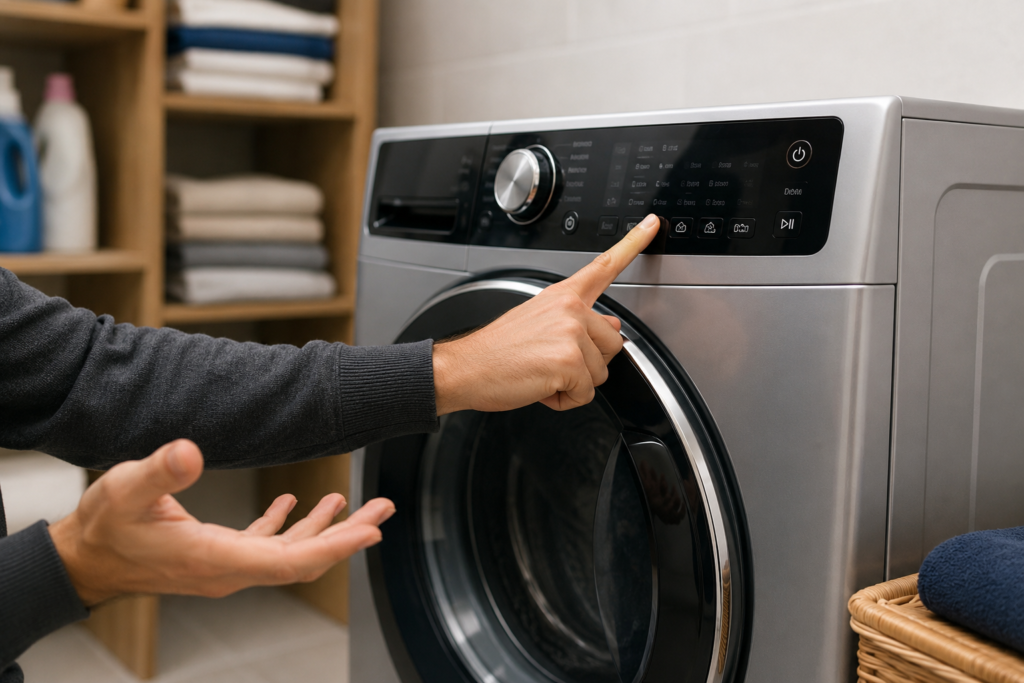
Washer not reacting to control input problems are commonly caused by a control lock feature, frozen control board, power interruption, or faulty door latch. Before assuming the worst, start by unplugging the washer for five to ten minutes and checking whether the child lock feature is turned on .these two steps alone resolve the majority of cases.
There’s a particular kind of frustration that comes with a washing machine that simply ignores you. You press Start, nothing happens. You try a different cycle, still nothing. The display might be lit up perfectly, the machine humming with power, but every button press feels like shouting into a void. It’s one of those problems that feels more complicated than it often is, and understanding what’s actually going on can save you a service call — or at least help you walk into one knowing exactly what you’re dealing with.
Quick Troubleshooting Checklist
Before assuming your washer has a major electronic failure, work through these basic checks first. In many cases, one of these simple steps restores the controls within minutes.
- Unplug the washer for 5–10 minutes and perform a full hard reset
- Check whether the Control Lock or Child Lock feature is enabled
- Make sure the door or lid closes fully and locks correctly
- Inspect the power outlet and reset the laundry room circuit breaker
- Look for flashing error codes, unusual beeping, or display glitches
Table of Contents
Why Modern Washers Are More Sensitive to Control Failures
Today’s washing machines aren’t just mechanical appliances with a motor and a drum. They’re essentially small computers managing water temperature, spin speed, cycle timing, sensor feedback, and user interface communication all at once. That level of electronic complexity is what gives you precise wash cycles and energy efficiency. but it also means the system has more points of potential failure. Many newer appliances experience washer not reacting to control input problems because modern electronic systems are far more sensitive to voltage interruptions and communication errors than older mechanical washers.
When something interrupts the normal flow of electronic communication. a brief power surge, a software hiccup, or a sensor misfiring. the control board can freeze or become completely unresponsive. The machine isn’t broken in a traditional mechanical sense. It’s more like a computer that needs a reboot. That’s actually good news, because it means many cases of a washer not reacting to control input are temporary and fixable without replacing any parts.
The Control Lock Feature: The Most Overlooked Cause
If you’ve never paid much attention to the control lock or child lock feature on your washer, you may be about to have a lightbulb moment. Almost every modern washing machine includes this function, designed to prevent accidental button presses during a cycle or to keep children from interfering with the machine. The problem is, it’s surprisingly easy to activate by accident. and once it’s on, the washer will completely ignore every input you make. A washer not reacting to control input often turns out to be nothing more than an accidentally activated child lock or control lock feature.
Before anything else, check your display panel for these indicators:
- A padlock icon anywhere on the screen
- The letters “CL” or the word “LOC” illuminated on the display
- Buttons that beep when pressed but trigger no action
If you see any of these, the control lock is engaged. The machine isn’t malfunctioning. it’s doing exactly what it was designed to do.
Disabling it is usually straightforward, though the exact method varies by brand. Samsung machines commonly require holding the Temperature and Spin buttons simultaneously for about three seconds. LG models often use a dedicated Child Lock button held for several seconds. Whirlpool and Maytag machines may ask you to hold two specific cycle buttons together. Your owner’s manual will have the exact combination for your model, and it’s worth checking before assuming anything else is wrong.
Power Supply Issues That Mimic Control Board Failures
A completely unresponsive washer with a dark, lifeless display points immediately toward the power supply rather than the control electronics. Before assuming an internal component has failed, work through the basics first. In many cases, a washer not reacting to control input is actually caused by unstable voltage or interrupted power supply rather than a failed control board.
Quick power check:
- Confirm the power cord is fully seated in the wall outlet. vibration from regular use can gradually loosen connections
- Go to your home’s electrical panel and find the breaker for the laundry room
- A tripped breaker will sit in a middle position rather than firmly switched to. on. reset it, then test the washer
- If you’re using a power strip or extension cord, remove it. washers need a direct outlet connection to receive stable voltage
One thing worth knowing: washers draw a significant amount of electricity during the motor startup phase. If the outlet or circuit is shared with other high-draw appliances, voltage fluctuations can cause the machine to behave erratically or simply stop responding altogether. A dedicated circuit is always the ideal setup for a washing machine.
How to Do a Proper Hard Reset
A hard reset is the appliance equivalent of restarting a frozen computer, and it resolves more unresponsive washer situations than most people expect. The key is giving the machine enough time to fully discharge before restoring power. Simply switching it off and immediately back on rarely accomplishes much. the internal capacitors need time to drain completely.A hard reset is one of the fastest ways to fix a washer not reacting to control input after a software freeze or sudden power interruption.
Steps for an effective hard reset:
- Unplug the washer from the wall outlet, or flip the dedicated circuit breaker off
- Wait a full five to ten minutes
- While unplugged, press and hold the power button for about fifteen seconds to help drain residual electricity from the system
- Restore power and test the controls
If the washer was mid-cycle when it froze, select a completely new cycle rather than trying to resume the interrupted one. The saved cycle data can sometimes confuse the control board on restart, keeping it stuck in an unresponsive state
Related Washer Fixes
If your washer is not reacting to control input, these related troubleshooting guides may help you diagnose control board problems, power issues, startup failures, and other common washer control panel symptoms more effectively.
The Door Latch Problem That Looks Like a Control Failure

Here’s something that trips up a lot of people. A washing machine won’t accept any commands if the control board doesn’t register the door as fully closed and locked. and this is true for both front-load and top-load machines. It’s a built-in safety feature, and when the door latch is even slightly misaligned, damaged, or blocked by a stray piece of clothing, the washer will act completely unresponsive even though the real problem has nothing to do with the control electronics. In many front-load models, a washer not reacting to control input may actually be caused by the control board failing to detect that the door is fully locked.
Open the door, clear anything near the latch area, and close it again with a firm, deliberate push until you hear a distinct click. On front-load machines especially, the latch needs to engage completely before the lock mechanism signals the control board to accept input. If the door closes but produces no click, or if the latch looks visibly bent or damaged, that component likely needs to be replaced. It’s one of the more accessible and affordable washer repairs, and it’s easy to overlook when your attention is focused on the control panel.
When Buttons Work Inconsistently or Only Sometimes
If some buttons respond while others don’t. or if the touchpad seems to require excessive pressure before reacting .the issue is usually in the touchpad layer or user interface board rather than the main control board. These are two separate components in most modern machines, and they fail differently. If only certain buttons respond while others remain dead, the washer not reacting to control input issue is usually connected to the touchpad or user interface system.
The touchpad membrane sits directly on the surface of the control panel. Over time, repeated pressing, moisture exposure, and detergent residue can degrade it. You might notice certain cycles can’t be selected at all, or that you have to press in just the right spot to get any response. Cleaning the panel gently with a slightly damp microfiber cloth and allowing it to dry completely sometimes helps with minor moisture-related responsiveness issues.
If cleaning doesn’t help, the physical membrane has likely degraded and the touchpad assembly will need to be replaced. The user interface board. which sits behind the panel and translates your input into signals for the main control board. can also fail independently. When it does, the display may look perfectly normal while the controls remain completely dead. A technician can test voltage signals between the two boards to pinpoint which component is responsible.
Moisture and Humidity: The Slow-Building Cause
Laundry rooms tend to be humid environments, and that humidity doesn’t always stay where you’d want it to. Steam from hot wash cycles, condensation from temperature changes, and occasional water splashes near the machine can introduce moisture into the control panel gradually over time. this is a slower cause of control problems than a dramatic spill, but it can be just as damaging.
Signs that moisture may be affecting your control panel:
- Controls that work inconsistently depending on the weather or time of day
- Random, unprompted beeping from the machine
- A display that occasionally flickers or dims
- Buttons that respond intermittently without any pattern
If your washer lives in a basement or poorly ventilated utility room, moisture infiltration is a genuine risk. Improving ventilation, fixing any nearby plumbing leaks, and wiping down the control panel area regularly can prevent the problem from developing further. Once moisture has caused internal corrosion, component replacement is usually necessary.
Serious Signs the Main Control Board Has Failed

If you’ve worked through every step above the hard reset, door latch check, control lock, and power supply. and the washer still won’t respond to any input, the main control board becomes the most likely explanation. This is the central processing unit of the machine, and when it fails, the effects are usually comprehensive rather than limited to one button or feature.
Warning signs of a failing main control board:
- Completely dead panel despite confirmed power at the outlet
- Random error codes that don’t match any actual cycle condition
- Burning or melted plastic smell coming from the rear of the machine
- Visible scorching, corrosion, or swollen components on the board itself
Control board replacement is a more involved repair. The part itself can be costly and is highly model-specific, so getting a professional diagnosis before purchasing anything makes sense. A technician can confirm the board is actually the problem rather than the interface panel or wiring. two components that can produce nearly identical symptoms
Important Safety Note
Always disconnect power before removing panels or inspecting internal washer components. Modern washing machines contain high-voltage electrical parts that can remain charged even after the machine is switched off. If you notice burned wiring, melted plastic, electrical smells, or visible moisture inside the control area, stop troubleshooting immediately and contact a qualified appliance technician.
When to Stop Troubleshooting and Call a Technician
Most of the steps above are genuinely safe and practical for any homeowner to attempt. But there are situations where professional help is the smarter call from the start.
Consider calling a technician if
- You notice a burning smell or any sign of scorching near the control panel or rear of the machine
- Water has visibly leaked into the control area
- The washer repeatedly freezes and requires constant resetting
- You’ve replaced the touchpad or interface board and the problem persists
- The machine is behaving erratically starting randomly, displaying codes that don’t clear, or cycling without input
These symptoms suggest deeper electrical damage that goes beyond what surface-level troubleshooting can address safely.
Common Mistakes That Make the Problem Worse
Many washer control problems become more serious because users continue forcing the machine to operate without identifying the actual cause. Avoiding these common mistakes can help prevent additional damage to the control system.
- Repeatedly pressing buttons rapidly when the control board is frozen
- Ignoring warning signs like flickering displays or delayed button response
- Using extension cords or overloaded outlets with large appliances
- Continuing to use the washer after moisture reaches the control panel
- Replacing expensive electronic parts before checking simple issues like door latches or control lock settings
Simple Habits That Protect Your Washer’s Controls Long-Term
Preventing control failures comes down to a few consistent habits that don’t require much effort but make a real difference over time. Using a surge protector rated for large appliances shields your control board from voltage spikes during storms or grid fluctuations. Keeping the control panel clean and dry prevents detergent residue and moisture from degrading the touchpad layer. Avoiding overloading the machine reduces the vibration that gradually loosens internal wiring. And when error codes appear, addressing the actual problem rather than repeatedly resetting them keeps minor issues from compounding into expensive ones. Preventive maintenance greatly reduces the chances of dealing with a washer not reacting to control input later due to moisture damage, vibration, or electrical stress.
Most cases of a washer not reacting to control input aren’t as serious as they first appear. A forgotten control lock or a simple power reset resolves the majority of situations without any tools, parts, or technical knowledge. When the problem runs deeper. into wiring, the interface board, or the main control board. the symptoms will usually make that clear once the basics have been ruled out. Working through the logical sequence methodically is almost always worth the effort before reaching for the phone
Frequently Asked Questions
Why is my washer not reacting to control input at all?
The most common reasons a washer stops responding to control input are an activated child lock or control lock feature, a tripped circuit breaker, or a frozen control board caused by a power interruption or software glitch. Start by unplugging the washer for five to ten minutes, then check your display panel for a padlock icon or “CL” indicator before assuming any internal component has failed
How do I reset a washing machine that won’t respond to buttons?
To properly reset an unresponsive washer, unplug it from the wall outlet or switch off the dedicated circuit breaker. Wait five to ten minutes. not just a few seconds. then press and hold the power button for fifteen seconds while it’s still unplugged to drain residual electricity from the system. Restore power and select a fresh cycle rather than resuming any interrupted one
What does it mean when my washer display is on but buttons don’t work?
When the display is lit but no buttons respond, the control lock feature is almost always the cause. Look for a padlock symbol, the letters “CL,” or “LOC” on the display. If none of those appear, the user interface board. the component that sits behind the panel and translates button presses into signals. may have partially failed, allowing the display to function while leaving the controls completely dead
Can a faulty door latch cause the washer controls to stop working?
Yes, absolutely. A washing machine will refuse to accept any control input if its control board doesn’t detect the door as fully closed and locked. This is a built-in safety feature. If the door latch is worn, misaligned, or blocked by clothing, the washer will behave as though the entire control panel has failed. even though the electronics are working perfectly fine
How do I know if my washer’s main control board has failed?
A failed main control board typically produces symptoms that go beyond a single unresponsive button. Signs include a completely dead display despite confirmed power at the outlet, persistent random error codes, a burning or melted plastic smell near the rear of the machine, or visible scorching and corrosion on the board itself. If basic troubleshooting steps. resetting, checking the door latch, disabling the control lock. haven’t resolved the problem, the control board is the likely cause
Is it worth repairing a washing machine with control input problems, or should I replace it?
It depends on the machine’s age and the specific component that has failed. Simple fixes like disabling a control lock, replacing a door latch, or swapping out a touchpad assembly are affordable and worth doing on most machines. A main control board replacement is more expensive and may not make financial sense on a washer that’s already eight to ten years old or older. If the machine is relatively new and the diagnosis is clear, repair is almost always the smarter choice.


1 comment
[…] Washer Not Reacting to Control Input […]