How to Fix a Washing Machine Pause Button Not Working: 8 Easy Solutions
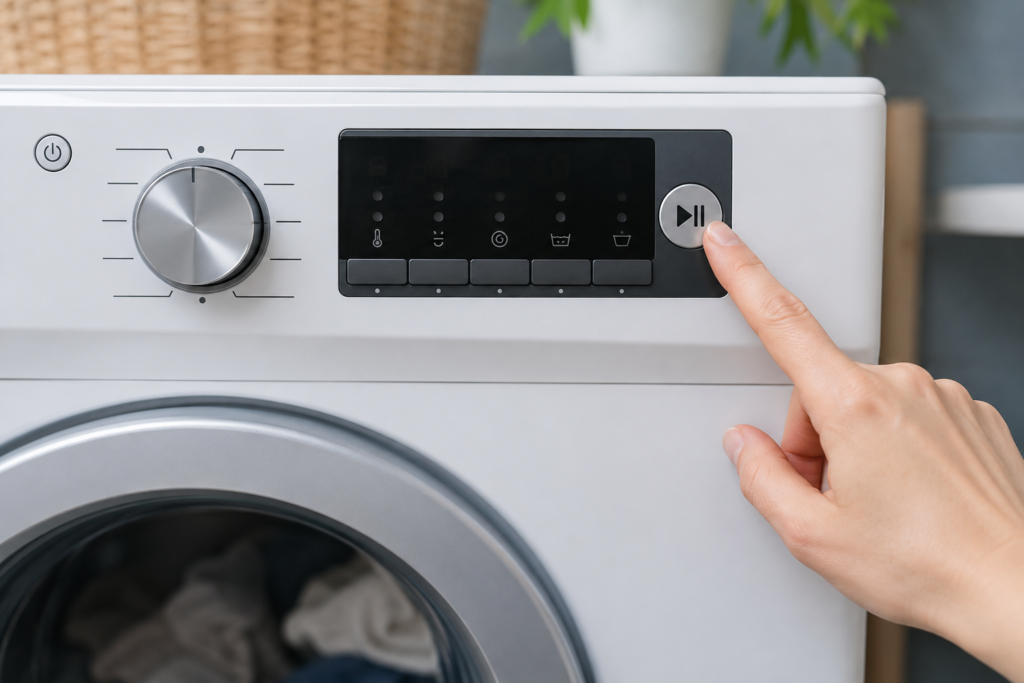
You’re mid-cycle, you remember a shirt you forgot to toss in, or you need to check on a delicate item. so you press the pause button. Nothing happens. The drum keeps spinning, the display ignores you completely, or the door stays locked no matter how many times you press it. A washing machine pause button not working is one of those problems that feels minor but completely disrupts your laundry routine at the worst possible moment.
The good news is that this issue is rarely a sign of serious mechanical failure. In the vast majority of cases, the cause is something you can identify and fix at home without spending money on a service call. This guide walks you through every realistic cause and gives you practical, step-by-step solutions to get your machine responding again. The good news is that this issue is rarely a sign of serious mechanical failure. In the vast majority of cases, the cause is something you can identify and fix at home without spending money on a service call. Fortunately, a washing machine pause button not working issue can often be resolved at home without expensive repairs or replacement parts.
Quick Troubleshooting Guide
| Problem | Quick Check |
|---|---|
| Pause button does nothing | Check if Control Lock is enabled |
| Works sometimes but not always | Perform a full power reset |
| Door stays locked | Inspect the door latch assembly |
| Button feels stuck | Clean and inspect the control panel |
Table of Contents
What the Pause Button Actually Does
Before jumping into causes, it helps to understand what happens behind the scenes when you press pause. On modern washers, pressing pause sends a signal to the main control board, which then halts the motor, stops water flow, and. on front-loaders. waits a few seconds before releasing the door lock. That chain of events involves several components working together: the control panel, the control board, the door latch assembly, and the motor. Any single point in that chain can break down, which is exactly why a washing machine pause button not working problem can have more than one explanation. Understanding the most common causes of a washing machine pause button not working can help you diagnose the problem faster and avoid unnecessary repairs.
The Most Common Causes. and How to Fix Each One
Control Lock or Child Lock Is Activated
This is the single most common reason behind a washing machine pause button not working situation, and it is also the easiest to overlook. Most modern washers. including LG, Samsung, Whirlpool, GE, and Frigidaire models .include a control lock feature that completely disables all panel buttons when active. The machine is designed to ignore every input while this mode is on, except for the power button.
Look at your display panel right now. Do you see a lock icon, a key symbol, or an indicator labeled “CL,” “Control Lock,” or “Lock”? If you do, the buttons are not broken. they are intentionally disabled.
How to fix it: On LG washers, press and hold the designated control lock button for 3 seconds until you hear a beep. On Samsung models, hold the Child Lock button for 3 to 5 seconds. On Whirlpool and Frigidaire machines, check your owner’s manual for the exact button combination your model uses. One important detail: on many machines, the control lock stays active even after you power the unit off and back on. A simple restart will not clear it you have to hold the button
Energy Saver Washing Machine GuideThe Machine Is in a Non-Interruptible Cycle Phase
Not every moment in a wash cycle is pauseable, and many people do not realize this. During the final spin phase, most washers will not respond to a pause command until the drum slows below a safe RPM threshold. During an active drain sequence, many machines are programmed to finish draining before accepting any input .specifically to prevent water from overflowing the drum.
If you pressed pause and nothing happened immediately, this is likely why. The machine is not malfunctioning. It is completing a brief locked phase and will respond once it finishes. Wait 20 to 30 seconds and try the pause button again. In most cases, that is all it takes.
Water Temperature Lock on Front-Load Washers
Front-load washers have a door interlock mechanism that stays engaged when the water inside the drum is extremely hot. This is a safety feature. opening the door mid-cycle with hot water inside could cause burns or send water across your laundry floor. Some models extend this logic to the pause button as well, refusing to respond until the water cools or the drum drains.
If your washing machine pause button not working issue only happens during a hot wash cycle, the temperature lock is almost certainly the cause. The machine is working exactly as it should.
If you need to stop the cycle urgently, switch the machine to a Drain & Spin or Cancel setting. This will empty the drum and prompt the door to unlock once the water is gone and the temperature drops.
A Stuck or Physically Damaged Pause Button
Buttons wear out. The tactile switch beneath the pause button can become stuck from detergent residue, moisture that has crept into the panel, or simple mechanical wear from years of use. When the button does not physically actuate the switch beneath it, the control board never receives the signal no matter how many times you press it.
To check this yourself, press the pause button firmly and pay attention to how it feels. Does it click? Does it feel mushy, spongy, or stuck partway down? Compare it to the other buttons on the panel. If every other button clicks cleanly and the pause button alone feels different, the switch beneath it has likely failed.
Try cleaning around the button with a dry microfiber cloth first. If there is sticky residue around the edges from detergent splash, use a cloth very lightly dampened with isopropyl alcohol. never spray anything directly onto the control panel. Press the button repeatedly to try dislodging any buildup. If the button remains physically stuck or unresponsive after cleaning, the switch assembly or panel overlay will need to be replaced
A Software Glitch in the Control Board
Modern washing machines run on embedded software, and like any software, it can occasionally freeze or glitch. A stuck process in the control board’s memory can cause specific inputs. including the pause button. to stop registering entirely, even when everything is physically fine. This is especially common after a power outage that interrupts a cycle mid-wash, or if the machine was cut off by a tripped circuit breaker. The fix here requires no tools and no parts.
Power reset: Turn the machine off and unplug it directly from the wall. Do not just press the power button. pull the plug. Leave it unplugged for 2 full minutes to allow any residual charge in the board to drain completely. Plug it back in, start a fresh cycle, and test the pause button during the wash phase.
If a basic reset does not resolve it, perform a factory reset specific to your brand:
- LG: Power off, unplug, then press and hold the Start/Pause button for 5 seconds while unplugged. Plug back in and power on.
- Samsung: Hold the Start/Pause button for 5 seconds, or unplug and hold the Power button for 10 seconds while plugging back in.
- Whirlpool / Maytag: On some top-load models, lift and lower the lid three times within 12 seconds to trigger the diagnostic reset.
- Frigidaire: Open and close the door 6 times within 12 seconds, then run a Rinse & Spin cycle without clothing.
Always cross-check the exact reset procedure in your model’s owner’s manual.
Door Latch Problems on Front-Load Washers

On front-loaders, the pause function is directly tied to the door latch assembly. When you press pause, the control board checks the latch status before it processes the command or unlocks the door. If the latch is faulty or sending bad signals, the board may read the door as open. which blocks the pause command from going through at all.
Signs that point to a latch issue include:
- The machine refuses to start a cycle
- The door does not click and lock securely at the beginning of a wash
- Door-related error codes appear on the display (F28, dL, or similar depending on brand)
Inspect the latch visually for cracked plastic, debris stuck in the mechanism, or any visible damage. You can test the latch switch with a multimeter for continuity. A faulty latch is a straightforward replacement on most front-load models.
Control Board Failure

The control board is the brain of the washer. It processes every button input, manages the motor, controls the water valves, and coordinates timing across the entire cycle. When it develops a fault. from a power surge, moisture damage, or component failure over time .it can stop responding to certain buttons while others continue working normally.
The clearest sign of a board issue is inconsistency. The washing machine pause button not working problem comes and goes with no pattern. The button works on some cycles but not others. You may also notice error codes appearing randomly, a frozen display, or other buttons behaving erratically alongside the pause problem.
A power reset resolves board glitches in many cases. If the problem keeps coming back after multiple resets, the board likely needs professional evaluation or replacement
Expert Tips
- Press the pause button only once and wait several seconds before pressing it again.
- If the machine is actively draining or spinning, allow the cycle phase to finish before attempting to pause.
- A pause button issue that appears after a power outage is often resolved with a complete power reset.
- If multiple buttons stop responding at the same time, focus on the control panel or control board rather than the pause button itself.
- Always note any error codes before unplugging the washer for troubleshooting.
You May Also Like
If your washing machine pause button is not working, these related troubleshooting guides can help you diagnose control, cycle, door lock, and power-related problems faster:
- Washing Machine Keeps Pausing: 8 Troubleshooting Tips
- Washing Machine Child Lock Won’t Turn Off
- How to Factory Reset a Washing Machine
- Washing Machine Door Not Locking
- Washing Machine PCB Board Fault Symptoms
- How to Enter Washing Machine Diagnostic Mode
- Washing Machine Stops After a Power Outage
- Washer Not Reacting to Control Input
- Washing Machine Display Not Working: 10 Easy Fixes
- Complete Washing Machine Problems & Troubleshooting Hub
Quick Troubleshooting Sequence: Where to Start
If you want to work through this efficiently, follow this order before reaching for the phone:
- Check for Control Lock — Look for the lock icon on the display. If it is on, hold the lock button for 3 to 5 seconds to disable it.
- Wait for the cycle phase — If you are in spin or drain, wait 30 seconds and try again.
- Do a power reset — Unplug from the wall for 2 full minutes. Plug back in and test.
- Inspect the button physically — Press it and feel for a click. Clean around it gently.
- Check for error codes — Look up any codes in your owner’s manual or the manufacturer’s support website.
- Inspect the door latch (front-loaders) — Listen for a firm click when the door closes. Check for error codes related to the door.
- Perform a factory reset — Use your brand’s specific reset procedure to clear deeper software faults.
When to Call a Technician
If you have worked through every step above and the washing machine pause button not working problem is still there, you are most likely looking at a failed control board or a damaged wiring harness. Both are fixable, but they require opening the machine, handling electrical components, and sourcing the correct parts for your specific model. which is a job for a qualified appliance technician. A washing machine pause button not working problem that continues after resets and basic troubleshooting often points to a deeper electrical or control-related fault.
A control board replacement typically runs between $150 and $350 depending on brand and model. On a machine that is five years old or less, that repair is worthwhile. On a washer that is already pushing ten years with other signs of wear, compare the repair cost honestly against the price of a newer, more energy-efficient unit before committing
How to Prevent a Washing Machine Pause Button Not Working Problem
Keep the control panel clean and dry. Detergent spray, water splashes, and laundry room humidity are the main long-term causes of button wear and board damage. Wipe the panel down regularly with a dry cloth and never spray cleaner directly onto the controls.
Avoid cutting power mid-cycle unless it is truly necessary. Repeated abrupt interruptions can cause software corruption in the control board over time. And if your washer runs on a power strip, make sure it includes surge protection. a voltage spike is one of the most common and entirely preventable causes of control board failure in modern appliances.
A washing machine pause button not working is almost always a solvable problem. Start with the simplest explanations first. control lock, cycle phase, power reset. and work through the list systematically. Most homeowners resolve it without spending a single dollar on parts or labor
Prevention Tips
- Keep detergent and fabric softener away from the control panel area.
- Wipe moisture from buttons after every laundry session.
- Avoid repeatedly pressing buttons during active spin cycles.
- Use a surge protector if your area experiences frequent voltage fluctuations.
- Run manufacturer-recommended maintenance cycles regularly.
- Address small control panel issues early before they develop into board-related failures.
About the Author
Muhammad Khalid is the founder of FixAppLab and an appliance troubleshooting writer focused on washing machines, dryers, and refrigerators. He creates step-by-step repair guides designed to help homeowners diagnose common appliance problems, understand potential causes, and decide when a repair can be handled at home or when professional service may be required.
His articles focus on practical troubleshooting, clear explanations, and real-world solutions that help readers save time, avoid unnecessary part replacements, and keep household appliances running efficiently.


Comments