Refrigerator Display Not Working? 7 Easy Fixes to Get It Working Again
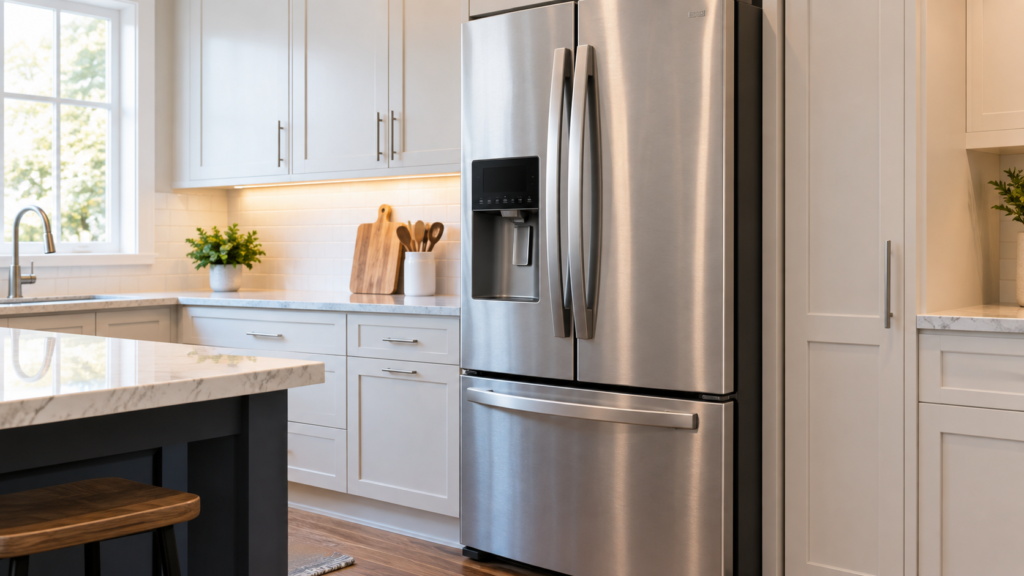
Refrigerator Display Not Working can happen because of a locked control panel, power interruption, wiring problem, or a control board issue. If your refrigerator display is not working, in most cases it does not mean the whole appliance has failed. A refrigerator display not working is usually caused by a locked control panel, a temporary power glitch, or a loose wire connection — and many of these issues can be fixed at home in a few minutes. Before you assume the worst or start shopping for replacement parts, it’s worth working through a short list of checks that resolve this problem more often than people expect
Quick Key Takeaways
- A blank refrigerator display does not always mean the refrigerator has stopped working.
- Check Control Lock, Sabbath Mode, and the refrigerator’s power before looking for a hardware fault.
- A five-minute power reset can clear temporary control-board or display problems.
- If the display is dead but the refrigerator is still cooling, the issue may involve the display, wiring, or user interface board.
- If cooling has also stopped, or you notice burning, sparking, or damaged wiring, stop troubleshooting and contact a qualified technician.
Table of Contents
Why Is My Refrigerator Display Not Working?
A refrigerator display not working can feel alarming, especially if you’re relying on that screen to monitor temperature settings or ice maker options. But the display and the cooling system are usually run by separate components, so a blank panel doesn’t automatically mean your food is at risk.
Modern refrigerators use a digital display wired to one or more control boards that manage temperature, defrost cycles, and the ice maker. When the refrigerator display is not working, the fault typically shows up somewhere along the path between the power supply, the control board, and the screen itself. Here are the most common reasons this happens.

1. The Control Panel Is Locked
Nearly every refrigerator with a digital display includes a lock feature — often called Control Lock or Child Lock — designed to stop kids or a stray elbow from accidentally changing settings. When it’s active, the panel can look completely dead even though nothing is actually broken. This is one of the most common reasons a refrigerator display is not working, and it’s also the fastest to fix.
Look for a small lock icon on the screen, then press and hold the lock button for three to five seconds until it releases.
Because control-lock steps vary by refrigerator model, it is also worth checking the manufacturer’s instructions for your specific panel. Samsung’s refrigerator panel troubleshooting guide explains common lock and power-reset checks.
2. Sabbath Mode Is Turned On
Many refrigerators include a Sabbath Mode that disables interior lights, display backlighting, and audible alerts while the compressor keeps running normally. It’s surprisingly easy to trigger this mode by accident, especially when wiping down the panel or pressing buttons quickly. If your refrigerator display is not working but the inside still feels cold, check your owner’s manual for the exact button combination that turns this mode off on your model.
3. A Temporary Power Glitch
Small voltage fluctuations, brief outages, or a nearby storm can leave the control board in a confused state without causing any lasting damage. This is by far the simplest explanation for a refrigerator display not working, and it should always be your first assumption before you start thinking about parts.
4. Loose or Damaged Wiring at the Door Hinge
On models where the display sits on the door itself, the wiring has to run through the hinge to reach the main control board. Every time the door opens and closes, that wiring flexes slightly. Over years of use, it can work itself loose, fray, or develop a weak connection.
This is a common reason a refrigerator display is not working intermittently — flickering, working only in certain door positions, or cutting out at random rather than staying off permanently. This is another possible reason your refrigerator display is not working, especially when the problem comes and goes as the door moves.
5. A Failed Display or User Interface Board
The user interface (UI) board is the small circuit board directly behind the touch panel. It drives the LED or LCD, reads the touch sensors, and talks to the main control board. When this board fails, you’ll usually still hear the fridge running and cooling normally — the touchpad might even beep when pressed — but nothing shows up on the screen.
6. A Main Control Board Fault
The main control board runs the compressor, defrost cycles, and fans, and it also sends low-voltage power to the display. If the section of the board that powers the UI fails while the rest of the board keeps working, you’ll see a completely dark panel with no beeps at all — even though the refrigerator keeps cooling on its last programmed settings.
7. Moisture Around the Control Panel
Condensation or a recent spill near the panel can interfere with touch sensitivity or short out sensitive components. If you’ve recently cleaned the front of the fridge or noticed water pooling near the display, let the area dry completely before troubleshooting further.
Quick Troubleshooting Guide
Use this quick check to narrow down the cause before moving into the detailed steps below.
| What you notice | What to check first |
|---|---|
| Display is completely blank but fridge is cold | Control Lock, Sabbath Mode, power reset, and display wiring |
| Display stopped after an outage or storm | Perform a full power reset and check for signs of electrical damage |
| Display works only when the door moves | Inspect the door-hinge wiring and connectors |
| Only part of the display works | Suspect the display or user interface board |
| Display is dead and refrigerator is not cooling | Check power and arrange professional service if the problem continues |
How to Fix a Refrigerator Display Not Working
Here’s a practical, in-order sequence for figuring out why your refrigerator display is not working and getting it back online.
Step 1: Confirm the Fridge Actually Has Power
Open the door and check whether the interior light comes on. If it does, the refrigerator has power, and the problem is isolated to the display or its control board. If the light is also out, check that the unit is plugged in securely, test the outlet with another small appliance, and check the breaker before doing anything else.
Step 2: Rule Out Lock Mode and Sabbath Mode
Before touching any wiring, eliminate the two settings covered above. Hold the lock button for several seconds, then separately check for a Sabbath Mode indicator. Between them, these two settings account for a surprising share of “my refrigerator display is not working” complaints — and both take less than a minute to test.
Step 3: Perform a Full Power Reset
Unplug the refrigerator, or switch off its dedicated breaker, and leave it disconnected for a full five minutes. This gives the internal capacitors time to discharge, which often clears whatever temporary fault is behind a frozen or blank screen. Plug it back in and give it a minute or two to boot up before checking the display again.
Step 4: Check for a Recent Power Event
If the refrigerator display stopped working right after a storm, an outage, or a voltage spike, that’s a strong clue the control board took some of the hit. A reset may or may not fix it, depending on how significant the surge was.
Step 5: Inspect the Door Hinge Wiring
With the fridge unplugged, locate the hinge cover — usually held by a screw or plastic tabs — and check the wiring connector underneath. Make sure the plug is fully seated, and look for pinched, frayed, or cracked insulation. Reseating a loose connector here resolves a large share of intermittent display cases at no cost.

Step 6: Check Whether the Refrigerator Is Still Cooling
This step matters more than it seems. Place your hand inside the fresh food compartment and the freezer to feel whether both are still cold.
| What you find | Likely cause | What it means |
|---|---|---|
| Display dark, fridge still cooling | Display, UI board, or wiring harness | Food is safe; lower-cost repair |
| Display dark, fridge not cooling | Main control board or power issue | More urgent, needs prompt attention |
Step 7: Look for a Partial Display Failure
Sometimes the panel doesn’t go completely black. You might see missing digits, one dark section, or only some buttons responding. A partial refrigerator display not working like this usually points to the display or UI board rather than a total power loss — and it’s a detail worth mentioning if you end up calling a technician.
Safety Note
Always unplug the refrigerator before inspecting connectors, wiring, or the area around the door hinge. Do not remove control boards, test live electrical connections, or attempt electrical repairs unless you are qualified to do so. If you see burnt wiring, melted plastic, sparking, or smell something burning, leave the refrigerator unplugged and contact a qualified appliance technician.
When to Call a Professional
Basic troubleshooting resolves a large share of display issues, but some situations call for a trained technician rather than a DIY attempt:
- The display stays completely dead after a full reset and hinge inspection
- The refrigerator has also stopped cooling
- You notice a burning smell, sparking, or visible wire damage
- Error codes flash briefly and then disappear
- The refrigerator is still under warranty, since opening it yourself can void coverage
If any of these apply, it’s worth having a technician check voltage at the board directly rather than guessing at parts. Replacing a UI board or main control board without confirming the actual fault is one of the most common ways homeowners end up paying for a part that wasn’t the real problem.
Is It Safe to Use the Fridge While the Display Is Off?
Yes, in most cases. If the refrigerator is still cooling normally, it’s generally safe to keep using it while you sort out why the display isn’t working. The main control board holds its last programmed temperature setting even with the screen dead, so your food stays at a safe temperature.
What you’ll lose in the meantime is the ability to change the setpoint, see the water filter indicator, use dispenser options, or view error codes — none of which affect food safety on their own.
Preventing a Refrigerator Display From Failing Again
A few habits can lower the odds of running into this problem a second time:
- Plug the refrigerator into its own dedicated outlet rather than sharing a circuit with high-draw appliances
- Add a surge protector rated for major appliances if storms or power fluctuations are common in your area
- Wipe up spills near the control panel promptly, and avoid spraying cleaner directly onto the display
- Avoid slamming the doors, since repeated impact vibrates the wiring harness at the hinge over time
You May Also Like
If your refrigerator display is not working, these related troubleshooting guides can help you check other power, cooling, control board, temperature, and component problems that may be connected to the issue:
- Refrigerator Control Board Problems – Symptoms & What to Check
- Refrigerator Not Turning On – Common Causes & Fixes
- Refrigerator Not Cooling Properly – 12 Causes & Easy Fixes
- Fridge Temperature Not Stable – Common Causes & What to Check
- Fridge Thermostat Not Working – Symptoms and Troubleshooting
- Refrigerator Compressor Not Working – Causes & What to Check
- Refrigerator Condenser Fan Not Working – Symptoms & Fixes
- How to Fix an Evaporator Fan in a Refrigerator
- Fridge Works After Restart but Stops Again – Causes & Fixes
- Refrigerator Problems – Complete Troubleshooting Guide
Final Thoughts
A refrigerator display not working does not always mean the refrigerator has a major failure.
A refrigerator display not working is rarely a sign that the whole appliance has failed. Start with the simplest explanations — a locked panel, Sabbath Mode, or a basic power reset — before assuming a board or wiring harness needs replacing. If the fridge is still cooling normally after working through these steps, you have some breathing room to arrange a repair without worrying about spoiled food. But if cooling has also stopped, or you notice any sign of electrical damage, bring in a professional rather than risking further damage by continuing to troubleshoot a refrigerator display that’s not working on your own.


Comments