How to Fix a Washing Machine Delay Start Problem Quickly
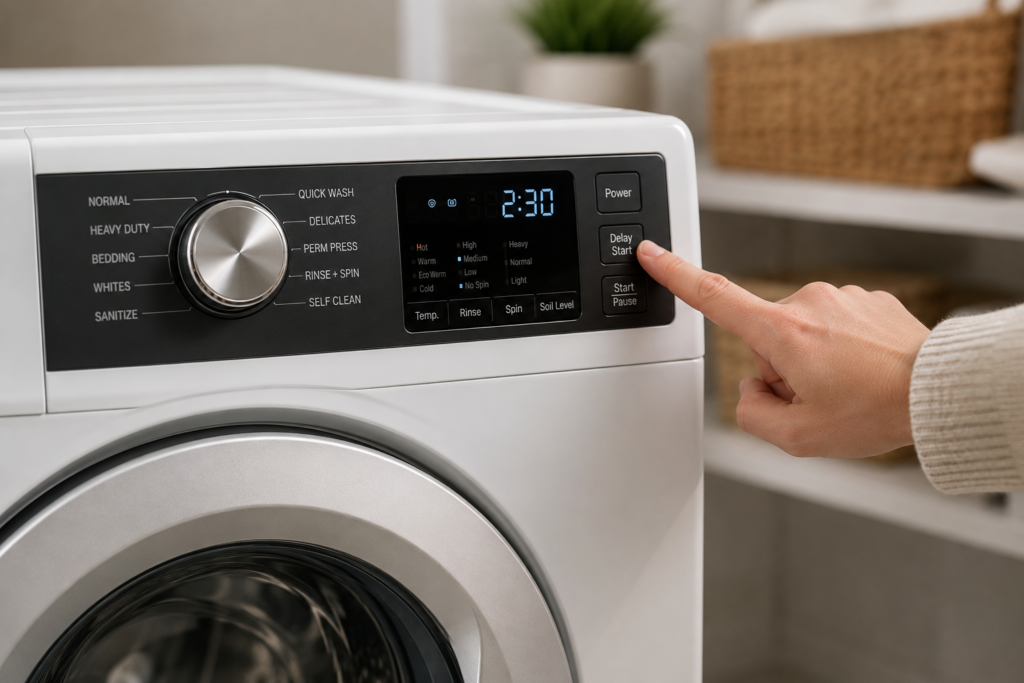
Washing machine delay start problem issues are usually caused by accidentally activated delay settings, control board glitches, or door latch problems that prevent the washer from starting normally. When your washing machine won’t start on schedule. or seems stuck counting down a timer you never set. the most common culprit is either an accidentally activated delay setting or a control board glitch that needs a simple power reset to clear. Before assuming something is seriously wrong, check your control panel for a clock icon or countdown number, then unplug the machine for ten minutes and try again
A washing machine that refuses to behave the way you expect it to is genuinely frustrating especially when you’ve loaded it up, set it, and walked away, only to come back and find it hasn’t moved an inch. The delay start feature is one of those functions that most people either love or accidentally trigger without realizing it. And once it’s been tripped, the machine can seem completely unresponsive in a way that feels like a serious malfunction when it’s actually just a setting issue.
That said, not every delay start problem is a quick fix. Some point to real hardware issues that are worth understanding before you call a technician. because knowing the difference can save you both time and money
Quick Troubleshooting Guide
| Problem | Possible Cause |
|---|---|
| Washer stuck counting down | Delay start accidentally enabled |
| Machine won’t begin cycle | Door latch not locking properly |
| Cycle pauses before filling | Water supply or inlet issue |
| Buttons stop responding | Control board glitch or stuck button |
| Delay mode activates repeatedly | Failing interface panel or PCB board |
Table of Contents
Why the Delay Start Feature Causes So Much Confusion
Part of the reason this problem is so common is that the delay start button on many washers is positioned right next to the wash cycle selector or the temperature controls. It takes nothing more than an accidental brush of the panel while you’re adjusting settings to activate a one-, two-, or even eight-hour delay. The machine then locks itself into standby mode, and if you don’t notice the small clock icon or countdown on the display, the whole thing looks like a total failure.
There’s another layer of confusion that catches a lot of people off guard: the difference between Delay Start and Delay End. Samsung, LG, and several other brands use a “Delay End” model, where instead of setting when the cycle should begin, you set what time you want it to finish. So if it’s 9 p.m. and you set a 6-hour delay end, the machine calculates backward from 3 a.m. and starts accordingly. If you’re not aware of this, the machine appears to do absolutely nothing when you press Start. which triggers a wave of troubleshooting that was never necessary in the first place.
Always check your specific model’s manual before assuming the delay feature is broken. A quick look at the display .to see whether it’s counting up or down, and whether the number represents hours until start or hours until finish resolves a surprising number of service calls before they ever happen.
What Does Delay Start Actually Do?
Delay Start does not mean the washing machine is stuck or broken. It is a programmed feature that keeps the washer from beginning the selected cycle until the scheduled time. Depending on the brand and model, the display may show a countdown, a clock symbol, or a remaining delay period.
Some washers use Delay End instead of Delay Start. In that case, you choose when you want the cycle to finish, and the washer calculates when it should begin. If the machine appears inactive but the display is counting down normally, the delay feature may simply be doing exactly what it was designed to do.
The Real Causes Behind a Washing Machine Delay Start Problem
Once you’ve confirmed the delay start isn’t simply active or misunderstood, you need to look at what else could be preventing the machine from launching a cycle normally.
The Door Latch Is a Very Common Offender

Washing machines have a safety interlock built into the door mechanism. the cycle physically cannot begin unless the machine receives confirmation that the door is securely closed and locked. If the latch is worn, slightly misaligned, or obstructed by a small piece of clothing caught in the rubber seal, that confirmation signal never arrives. The machine sits there as if it’s waiting, which can look exactly like a delay start issue.
Close the door firmly and listen for a solid click. If you don’t hear it, or if pressing harder against the door panel suddenly lets the cycle start, the latch assembly is likely your problem.
Water Supply Problems Can Look Identical

The machine will go through its startup sequence, lock the door, and then pause while it tries to fill. and if the water inlet is partially blocked, the tap isn’t fully open, or a hose is kinked behind the unit, the machine just sits there waiting for pressure it never gets. From where you’re standing, it looks and feels exactly like a delay start malfunction.
Here’s what to check
- Confirm both hot and cold supply taps are fully open
- Pull the machine out slightly and inspect hoses for kinks
- Unscrew the inlet connections and check the small mesh filters for mineral buildup
Control Board Glitches Are More Common Than You’d Think
The control board is essentially the machine’s operating system. it receives every button press, interprets every sensor signal, and coordinates every phase of the wash cycle. These boards are sensitive to power fluctuations, moisture, and general wear. A brief power surge or even an interrupted cycle can leave the board in a frozen state where it behaves erratically, including locking itself into a delay it can’t escape through normal means.
This is why a proper power reset. not just pressing the power button, but fully unplugging the machine from the wall for at least five to ten minutes. resolves a significant number of delay start complaints without any further intervention.
5 Steps to Fix a Washing Machine Delay Start Problem
Work through this in logical order rather than jumping around. Most problems reveal themselves within the first two or three steps.
Step 1 — Check the display first. Look carefully at every icon and number on the panel. If there’s any countdown, clock symbol, or delay indicator active, cancel it by pressing and holding the delay button until it clears, or use the power button to reset the program entirely. On Maytag and Whirlpool models, pressing and holding the Start button for five seconds will often interrupt an active delay cycle.
Step 2 — Do a full power reset. Unplug the machine from the wall and wait a full ten minutes. This clears temporary glitches from the control board’s memory. Plug it back in, select a fresh cycle without touching the delay button, and try again. This step resolves the problem more often than most people expect.
Step 3 — Check the door latch. Open the door, remove any laundry near the seal, close it firmly, and listen for the latch engaging. Watch whether the door lock indicator light activates within a few seconds of pressing Start. If it doesn’t, the door lock mechanism needs attention.
Step 4 — Check the water supply. A machine that starts its cycle and shows all the right indicators but never begins filling is almost certainly dealing with a water supply issue, not a delay start fault. Check taps, hoses, and inlet filters as described above.
Step 5 — Inspect the delay button itself. A button that feels mushy, doesn’t click, or registers no change on the display when pressed has likely failed at the hardware level. Gently cleaning around it with a dry cloth can sometimes free a sticky button, but a truly failed button means the interface panel needs to be replaced
Warning Signs That Point to a Deeper Problem
Most delay start issues are straightforward, but certain symptoms suggest something more serious is going on inside the machine.
- Error codes appearing alongside the delay behavior. look these up before doing anything else, as they often point directly at the failing component
- All indicator lights illuminating simultaneously with no response to any button. a strong sign the control board has failed rather than just glitched
- Visible burn marks, discoloration, or a burnt smell near the control board. the board has reached the end of its serviceable life and needs replacement
- The delay start activates automatically every time you power on the machine. suggests a stuck button, firmware issue, or failing board
Smart washing machines add another dimension worth mentioning. Models from Samsung, LG, and Bosch that run on firmware can experience software-related delay start failures, particularly after power outages that interrupt an over-the-air update. Checking the manufacturer’s app or support page for available firmware updates is a legitimate troubleshooting step for these machines. and it occasionally resolves delay behavior that would otherwise look like a hardware fault.
On older mechanically controlled washers, a failed timer motor is worth investigating. These machines use a physical rotary timer to advance through wash cycle phases, and when that motor wears out or the timer contacts corrode, the machine can get stuck and never advance. showing up as a permanent delay that no reset can clear. Testing the timer with a multimeter for continuity confirms whether this component has failed
Related Washing Machine Troubleshooting Guides
If your washing machine delay start feature is not working correctly, these related guides can help you troubleshoot other starting, timer, control, and cycle problems.
- Washing Machine Timer Not Working – Causes and Easy Fixes
- How to Reset a Washing Machine – Step-by-Step Guide
- Washer Not Reacting to Control Input – Causes and Fixes
- Washing Machine Power Button Not Working – Easy Fixes
- Why Is My Washing Machine Not Starting?
- Washing Machine Display Not Working – 10 Easy Fixes
- Washing Machine Selector Not Working – Easy Fixes
- Washing Machine Door Not Locking – Causes and Fixes
- Washing Machine Error Codes Explained
- How to Enter Washing Machine Diagnostic Mode
Common Mistakes That Make Delay Start Problems Worse
- Repeatedly pressing the Start button without clearing the active delay setting first
- Ignoring small countdown icons or flashing timer indicators on the display panel
- Using extension cords or unstable power outlets that may confuse the control board
- Forcing the door shut when the latch mechanism is already damaged or misaligned
- Assuming the control board has failed before trying a full 10-minute power reset
When to Call a Technician
If you’ve worked through every step above and the washing machine delay start problem is still present, it’s time to bring in a professional. A qualified technician can run service diagnostic modes specific to your brand and model, test the control board and individual components with a multimeter, and identify faults that aren’t visible during normal operation.
Don’t delay calling if
- The machine is still under warranty internal repairs attempted at home may void your coverage
- The control board shows visible damage or a burnt smell
- Error codes persist after a full reset and can’t be cleared
- The door lock assembly still doesn’t register after latch replacement

Estimate Your Washing Machine Repair Cost
If your washing machine delay start problem appears to involve a door lock, control board, timer, or another internal component, getting a general repair-cost estimate can help you decide whether repair or replacement makes more sense.
Use the Washing Machine Repair Cost Calculator →Simple Ways to Prevent Future Delay Start Problems
- Keep the control panel dry and avoid spraying cleaners directly onto buttons
- Double-check cycle settings before pressing the Start button
- Use a surge protector to reduce the risk of control board glitches
- Clean water inlet filters regularly to maintain stable water flow
- Avoid slamming the washer door, which may damage the latch assembly over time
Muhammad Khalid
Founder of FixAppLab • Appliance Troubleshooting Writer
Muhammad Khalid is the founder of FixAppLab, a home appliance troubleshooting platform focused on practical repair guidance and easy-to-understand technical explanations. His work covers common washing machine, refrigerator, and dryer problems — helping homeowners identify faults, understand warning signs, and learn possible fixes before calling a technician.
Explore detailed troubleshooting guides about washing machine problems, refrigerator issues, and dryer repair topics.


Comments